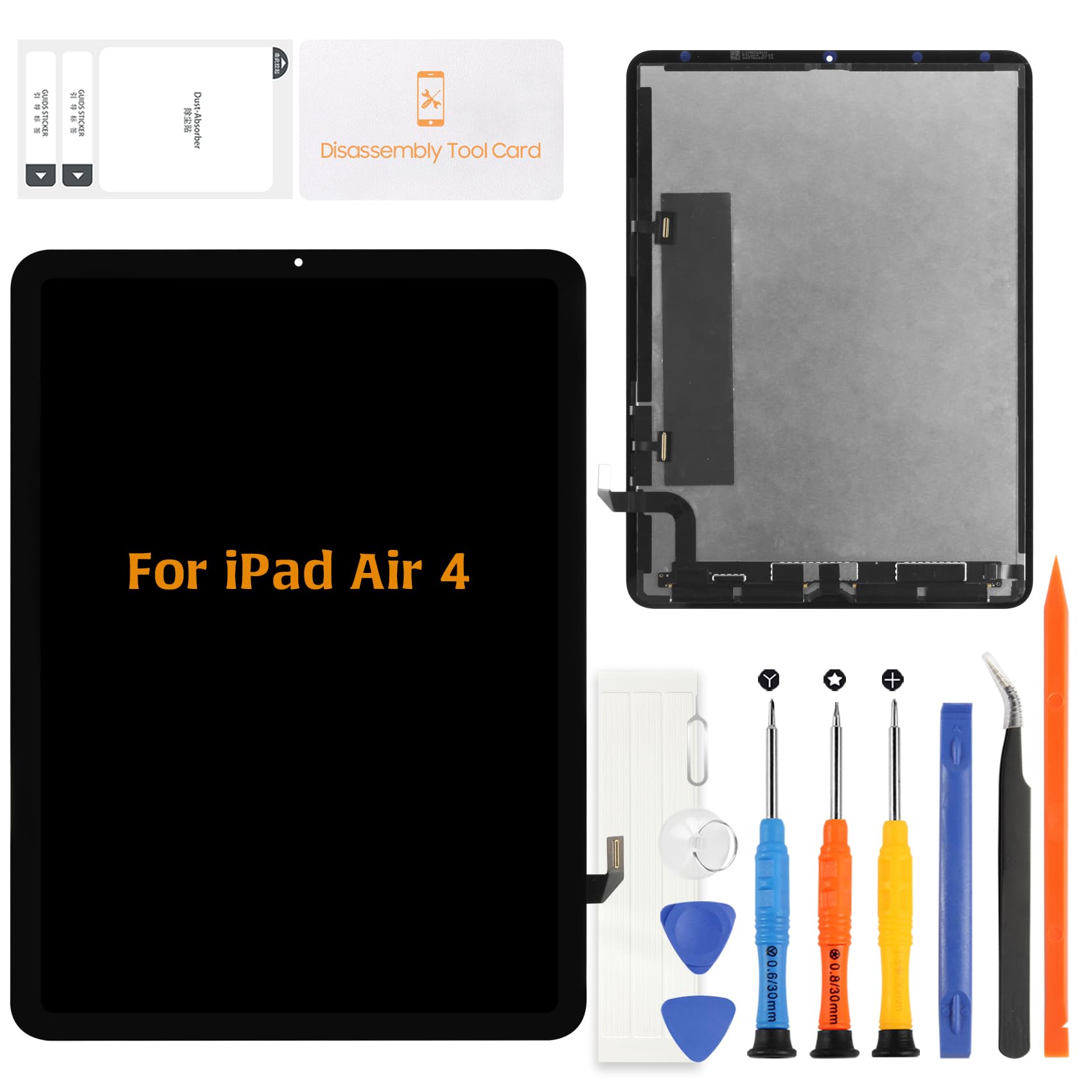



⛄【Compatible Models】 ------ Designed for iPad Air 4 10.9-inch 2020 models A2324 A2072 A2325 A2316. This complete display assembly is suitable for repairing cracked glass, display failure, ghost touch, touch delay, or non-responsive areas. Please confirm model before purchase. 🎪【FOG Technology Display Assembly】 ------ This screen uses FOG (Flex on Glass) display structure, offering higher stability and better touch integration compared with standard aftermarket LCD screens. Designed to provide consistent touch response and reliable daily performance. ✨【Complete Display and Touch Repair Solution】 ------ LCD display and digitizer are pre-assembled to restore both image and touch functionality in one replacement. Suitable for devices with display damage together with touch malfunction. 💥【Touch Performance Depends on Proper Installation】 ------ Touch response issues can occur if the frame pressure is uneven or cables are stressed during installation. Always disconnect the battery flex cable from the motherboard, avoid over-tightening screws, and ensure flex cables are not bent. 【Touch Performance Depends on Proper Installation】 ------ Touch response issues can occur if the frame pressure is uneven or cables are stressed during installation. Always disconnect the battery flex cable from the motherboard, avoid over-tightening screws, and ensure flex cables are not bent. A-MIND Screen Replacement for iPad Air 4 10.9" (FOG Display Technology)
This replacement screen assembly is designed for iPad Air 4th Generation 10.9-inch (2020) models A2324 A2072 A2325 and A2316. It includes a complete LCD display and touch digitizer assembly built with FOG (Flex on Glass) structure.
What is FOG Display Technology
FOG (Flex on Glass) technology uses a high precision glass substrate with integrated touch circuitry. Compared with standard aftermarket screens, this structure provides improved touch alignment and more stable daily performance when properly installed.
FOG Structure Benefits
More stable touch structure compared with basic aftermarket LCD
Improved durability compared with entry level copy screens
Integrated touch layer for consistent response
Reliable repair option for restoring tablet functionality
Important Touch Installation Notes
Because FOG touch layers are sensitive electronic components, correct installation is essential for proper performance:
Always power off device before installation
Disconnect the battery flex cable from motherboard first
Do not bend display flex cables excessively
Avoid uneven frame pressure during installation
Test all touch areas before sealing the device
Improper installation may cause issues such as ghost touch, incorrect typing response, or partial touch failure.
Required Testing Procedure
Before final installation:
1 Connect screen without adhesive
2 Power on device
3 Test typing across entire keyboard
4 Test edge touch response
5 Confirm swipe and multi-touch function
6 Only install permanently after confirming full operation
Package Includes
1 × Screen Replacement Assembly for iPad Air 4
1 × Repair Tool Kit
Professional Installation Recommended
Tablet screen replacement requires technical experience and careful handling. Users without repair experience are advised to seek professional repair assistance.
Support Information
Each screen is inspected before shipping. If any issue is discovered during testing, contact support with photos before final installation.
This replacement screen assembly is designed for iPad Air 4th Generation 10.9-inch (2020) models A2324 A2072 A2325 and A2316. It includes a complete LCD display and touch digitizer assembly built with FOG (Flex on Glass) structure.
What is FOG Display Technology
FOG (Flex on Glass) technology uses a high precision glass substrate with integrated touch circuitry. Compared with standard aftermarket screens, this structure provides improved touch alignment and more stable daily performance when properly installed.
FOG Structure Benefits
More stable touch structure compared with basic aftermarket LCD
Improved durability compared with entry level copy screens
Integrated touch layer for consistent response
Reliable repair option for restoring tablet functionality
Important Touch Installation Notes
Because FOG touch layers are sensitive electronic components, correct installation is essential for proper performance:
Always power off device before installation
Disconnect the battery flex cable from motherboard first
Do not bend display flex cables excessively
Avoid uneven frame pressure during installation
Test all touch areas before sealing the device
Improper installation may cause issues such as ghost touch, incorrect typing response, or partial touch failure.
Required Testing Procedure
Before final installation:
1 Connect screen without adhesive
2 Power on device
3 Test typing across entire keyboard
4 Test edge touch response
5 Confirm swipe and multi-touch function
6 Only install permanently after confirming full operation
Package Includes
1 × Screen Replacement Assembly for iPad Air 4
1 × Repair Tool Kit
Professional Installation Recommended
Tablet screen replacement requires technical experience and careful handling. Users without repair experience are advised to seek professional repair assistance.
Support Information
Each screen is inspected before shipping. If any issue is discovered during testing, contact support with photos before final installation.