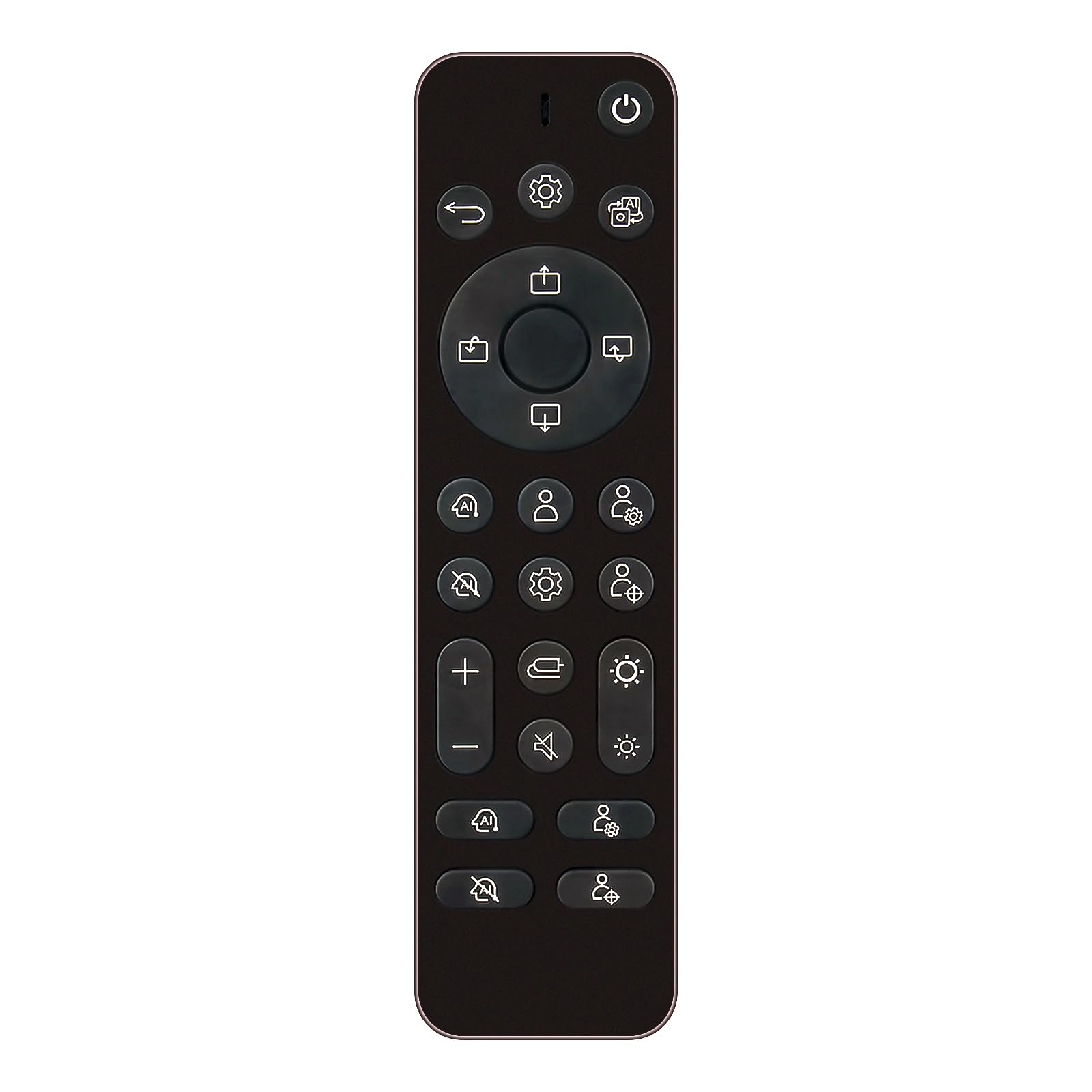



AKB76043602 Replace Remote fit for LG UltraGear OLED Gaming Monitor SRS22CW (NOT UNIVERSAL REMOTE, only com[patible with SRS22CW, please check your device model before order) Battery type it needed: 2 x AAA batteries; AKB76043602 Replace Remote fit for LG UltraGear OLED Gaming Monitor SRS22CW (NOT UNIVERSAL REMOTE, only com[patible with SRS22CW, please check your device model before order)
Trouble Shooting:
1.No response or does not work:
1)Solution:please try to Install 2pcs new AAA alkaline batteries after you receive the remote control.
2)Please make sure your soundbar model number in the list.
3)Please make sure there is no block in front the remote control and soundbar. The control range is 10 meters, 30 degrees to 0 degrees.
2.After all If the remote still does not work or response to your soundbars
Solution:
please help to try the following trouble shooting steps:
1)Remove the batteries from the remote.
2)Press every button on the remote at least 3-5 second time to drain any residual power. This also helps to check for stuck buttons.
3) kindly please help to check whether the IR sensor area of your soundbars is clean, sometimes the dust will effect the IR sensor connection.
4) kindly please make sure nothing is blocking on the front of your soundbars, make sure it does not have any barriers between your soundbar and remote; please point the remote control toward the remote control sensor on the soundbars.
5) Insert 2pcs new AAA alkaline batteries into the remote, please do not use AA batteries, please do not use rechargeable batteries. Make sure the batteries are correctly installed with the positive and negative ends in the right direction. The correct battery installed way is + to - ; - to + polarity. If install opposite, the remote should not work.
6) Unplug the power supply of your soundbars and then plug it back to restart it. Then try the remote again.
Trouble Shooting:
1.No response or does not work:
1)Solution:please try to Install 2pcs new AAA alkaline batteries after you receive the remote control.
2)Please make sure your soundbar model number in the list.
3)Please make sure there is no block in front the remote control and soundbar. The control range is 10 meters, 30 degrees to 0 degrees.
2.After all If the remote still does not work or response to your soundbars
Solution:
please help to try the following trouble shooting steps:
1)Remove the batteries from the remote.
2)Press every button on the remote at least 3-5 second time to drain any residual power. This also helps to check for stuck buttons.
3) kindly please help to check whether the IR sensor area of your soundbars is clean, sometimes the dust will effect the IR sensor connection.
4) kindly please make sure nothing is blocking on the front of your soundbars, make sure it does not have any barriers between your soundbar and remote; please point the remote control toward the remote control sensor on the soundbars.
5) Insert 2pcs new AAA alkaline batteries into the remote, please do not use AA batteries, please do not use rechargeable batteries. Make sure the batteries are correctly installed with the positive and negative ends in the right direction. The correct battery installed way is + to - ; - to + polarity. If install opposite, the remote should not work.
6) Unplug the power supply of your soundbars and then plug it back to restart it. Then try the remote again.