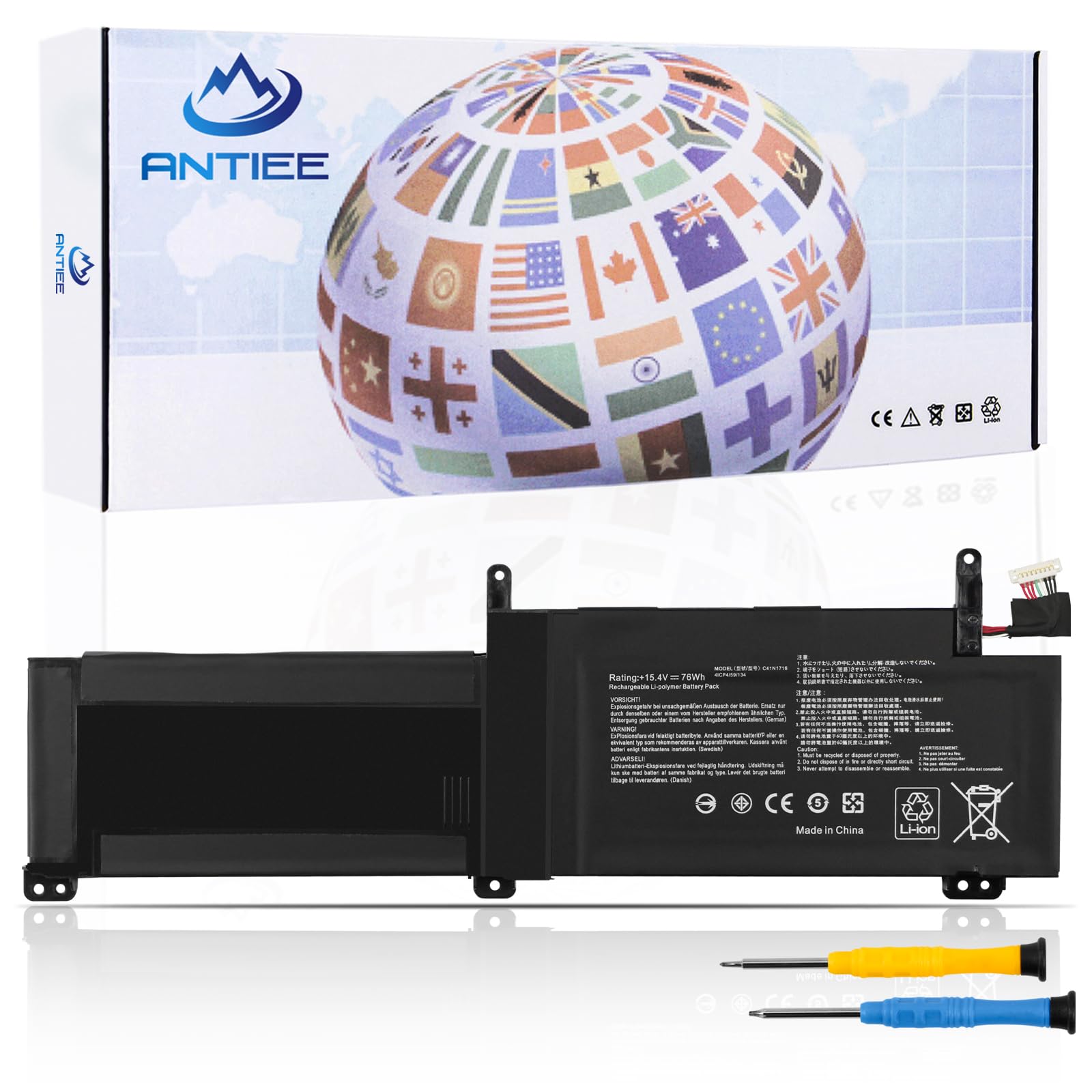



【Specification】Voltage: 15.4V. Capacity: 76Wh. Battery Type: Li-ion. Condition: Brand new, from high quality materials, top circuit boards and smart chip. 【Replace Part Number】C41N1716 0B200-02770000 4ICP4/59/134. 【Compatible Laptop Models】ASUS ROG Strix GL703GM GL703GS series: GL703GM-NS73 GL703GM-DS74 GL703GS-DS74 series, Asus ROG Strix S7BS S7BS8750 series. 【ANTIEE Promise】Everyone of our replacement batteries has tested with strict quality control standards to ensure the true capacity, stable current and low self-discharge. All ANTIEE batteries are UL / CE / FCC / RoHS Certified for safety, we are confident in the performance of the replacement battery. 【ANTIEE After-sales】We support 12 months of warranty, 30 days money back, 24 x 7 email support. As you begin to use the product, any questions you can contact with us via "Your Orders" tab in your Amazon account, we will respond within 24 hours. Welcome to ANTIEE
We are a manufacturer specializing in various high-quality laptop batteries and tablet batteries. We emphasizes the basic product concept of high-quality, safety and reliability. Our company has strict product quality standards, and each battery will undergo rigorous testing before sending. We aim to provide each customer with valuable products and give you a longer life battery.
Specification:
Model: C41N1716
Voltage: 15.4V
Capacity: 76Wh
Cell: 4-Cell
Battery Type: Li-ion
Condition: Brand New
Compatible Part Number:
C41N1716 0B200-02770000 4ICP4/59/134.
Compatible Lapop Models:
ASUS ROG Strix GL703GM series:
GL703GM-NS73 GL703GM-DS74 GL703GM-E5086T GL703GM-E5187T GL703GM-E5210 GL703GM-EE032 GL703GM-EE077T GL703GM-EE093T GL703GM-EE224T GL703GM-EE230 GL703GM-WS71 GL703GS-DS74 GL703GM-0051A8750H GL703GM-E5016R GL703GM-E5027T GL703GM-E5055T GL703GM-E5070T GL703GM-E5171T GL703GM-EE049 GL703GM-EE077T GL703GM-EE231 GL703GM-WS71 GL703GS-E5035T GL703GS-E5069T and more.
ASUS Rog STRIX GL703GS series:
GL703GS-0021A8750H GL703GS-71250-GAMING GL703GS-DS74 GL703GS-E5011 GL703GS-E5035T GL703GS-EE074T.
ASUS ROG Strix S7BS S7BS8750 series
Kindly Note:
①Discharge the new battery use to 5%-10% (not to 0%) and then charge to 100%. Cycle 3-5 times to activate the battery's maximum capacity.
②Never let it discharge below 5%, or your laptop may automatically power off and damage may occur to the battery.
③Please feel welcomed to notify us of any inconvenience or fault in our battery. You can notify us via "Your Order" in your Amazon account. Our technical team is always on standby to help you.
④Don't connect adapter for a long time while using the battery. It may damage the battery.
What You Get:
①12 months of warranty
②30 days money back or replace
③24h x 7 Email reply
We are a manufacturer specializing in various high-quality laptop batteries and tablet batteries. We emphasizes the basic product concept of high-quality, safety and reliability. Our company has strict product quality standards, and each battery will undergo rigorous testing before sending. We aim to provide each customer with valuable products and give you a longer life battery.
Specification:
Model: C41N1716
Voltage: 15.4V
Capacity: 76Wh
Cell: 4-Cell
Battery Type: Li-ion
Condition: Brand New
Compatible Part Number:
C41N1716 0B200-02770000 4ICP4/59/134.
Compatible Lapop Models:
ASUS ROG Strix GL703GM series:
GL703GM-NS73 GL703GM-DS74 GL703GM-E5086T GL703GM-E5187T GL703GM-E5210 GL703GM-EE032 GL703GM-EE077T GL703GM-EE093T GL703GM-EE224T GL703GM-EE230 GL703GM-WS71 GL703GS-DS74 GL703GM-0051A8750H GL703GM-E5016R GL703GM-E5027T GL703GM-E5055T GL703GM-E5070T GL703GM-E5171T GL703GM-EE049 GL703GM-EE077T GL703GM-EE231 GL703GM-WS71 GL703GS-E5035T GL703GS-E5069T and more.
ASUS Rog STRIX GL703GS series:
GL703GS-0021A8750H GL703GS-71250-GAMING GL703GS-DS74 GL703GS-E5011 GL703GS-E5035T GL703GS-EE074T.
ASUS ROG Strix S7BS S7BS8750 series
Kindly Note:
①Discharge the new battery use to 5%-10% (not to 0%) and then charge to 100%. Cycle 3-5 times to activate the battery's maximum capacity.
②Never let it discharge below 5%, or your laptop may automatically power off and damage may occur to the battery.
③Please feel welcomed to notify us of any inconvenience or fault in our battery. You can notify us via "Your Order" in your Amazon account. Our technical team is always on standby to help you.
④Don't connect adapter for a long time while using the battery. It may damage the battery.
What You Get:
①12 months of warranty
②30 days money back or replace
③24h x 7 Email reply