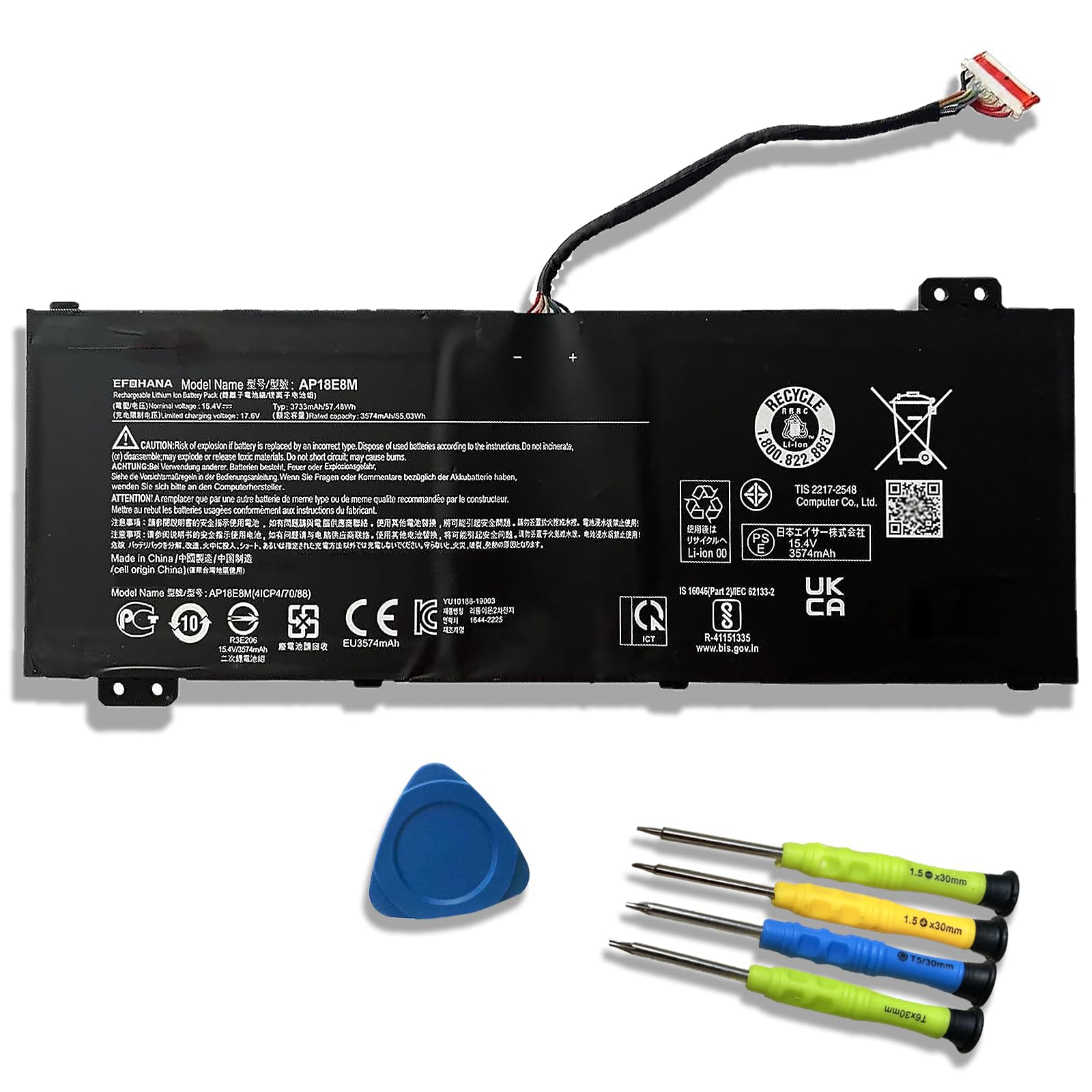



【Specifications】Model: AP18E8M // Battery type: Li-ion // Color: Black // Voltage: 15.4V // Capacity: 57.48Wh/3733mAh // 100% New from Manufacturer. Top circuit boards and smart chip 【Compatible Part Number】 AP18E8M / AP18E7M / 4ICP4/70/88 / 4ICP4/69/90 / KT.00407.009 【Compatible with Laptop Models】 Fit for Acer Aspire 7 A715-74 Series; Fit for Acer Aspire 7 A715-74G Series; Fit for Acer Aspire Nitro 5 AN515-54 Series; Fit for Acer ConceptD 5 CN515-71 Series; Fit for Acer ConceptD 5 Pro CN515-71P Series; Fit for Acer Nitro 5 AN515-43Acer Nitro 5 AN515-55 Series etc 【After Service】Return and exchange are permitted within 30 days, accompanied by a 12-month warranty. (NOTE: If you encounter any issues with the battery, please reach out to us—under "YOUR ORDER," select the "contact seller" option.) 【Gentle Reminder】 If the new battery is not recognized during the initial installation, please reinstall and check if the interface is fully connected. Discharge the new battery to 10% (not 0%), then charge and cycle 3-4 times to wake up the new battery 【Safety Features】Please refer to the instructions before you installing the battery. All EFOHANA products are Certified by CE for safety, strictly test ensure both safety and stability Welcome to EFOHANA
EFOHANA is an excellent trading company.We mainly sell various brands of laptop battery,You can expect to find quality materials, reliable performance, affordable prices and excellent customer service. Model: AP18E8M
Voltage: 15.4V Capacity: 57.48Wh/3733mAh
Battery Type: Li-ion
Battery Condition: Brand New
Compatible Part Number:
AP18E8M / AP18E7M / 4ICP4/70/88 / 4ICP4/69/90 / KT.00407.009
Compatible with Laptop Modelsl: Fit for Acer Aspire 7 A715-74 Series; Fit for Acer Aspire 7 A715-74G Series; Fit for Acer Aspire Nitro 5 AN515-54 Series; Fit for Acer ConceptD 5 CN515-71 Series; Fit for Acer ConceptD 5 Pro CN515-71P Series; Fit for Acer Nitro 5 AN515-43Acer Nitro 5 AN515-55 Series etc
Notes:When installing the battery for the first time, you should pay attention to the following:
①Please confirm that the connector has been plug properly into the battery and the motherboard of your laptop.
②Please change the laptop's power manager charge setting to the "standard" mode, then discharge and recharge the battery 3-4 times.
EFOHANA is an excellent trading company.We mainly sell various brands of laptop battery,You can expect to find quality materials, reliable performance, affordable prices and excellent customer service. Model: AP18E8M
Voltage: 15.4V Capacity: 57.48Wh/3733mAh
Battery Type: Li-ion
Battery Condition: Brand New
Compatible Part Number:
AP18E8M / AP18E7M / 4ICP4/70/88 / 4ICP4/69/90 / KT.00407.009
Compatible with Laptop Modelsl: Fit for Acer Aspire 7 A715-74 Series; Fit for Acer Aspire 7 A715-74G Series; Fit for Acer Aspire Nitro 5 AN515-54 Series; Fit for Acer ConceptD 5 CN515-71 Series; Fit for Acer ConceptD 5 Pro CN515-71P Series; Fit for Acer Nitro 5 AN515-43Acer Nitro 5 AN515-55 Series etc
Notes:When installing the battery for the first time, you should pay attention to the following:
①Please confirm that the connector has been plug properly into the battery and the motherboard of your laptop.
②Please change the laptop's power manager charge setting to the "standard" mode, then discharge and recharge the battery 3-4 times.