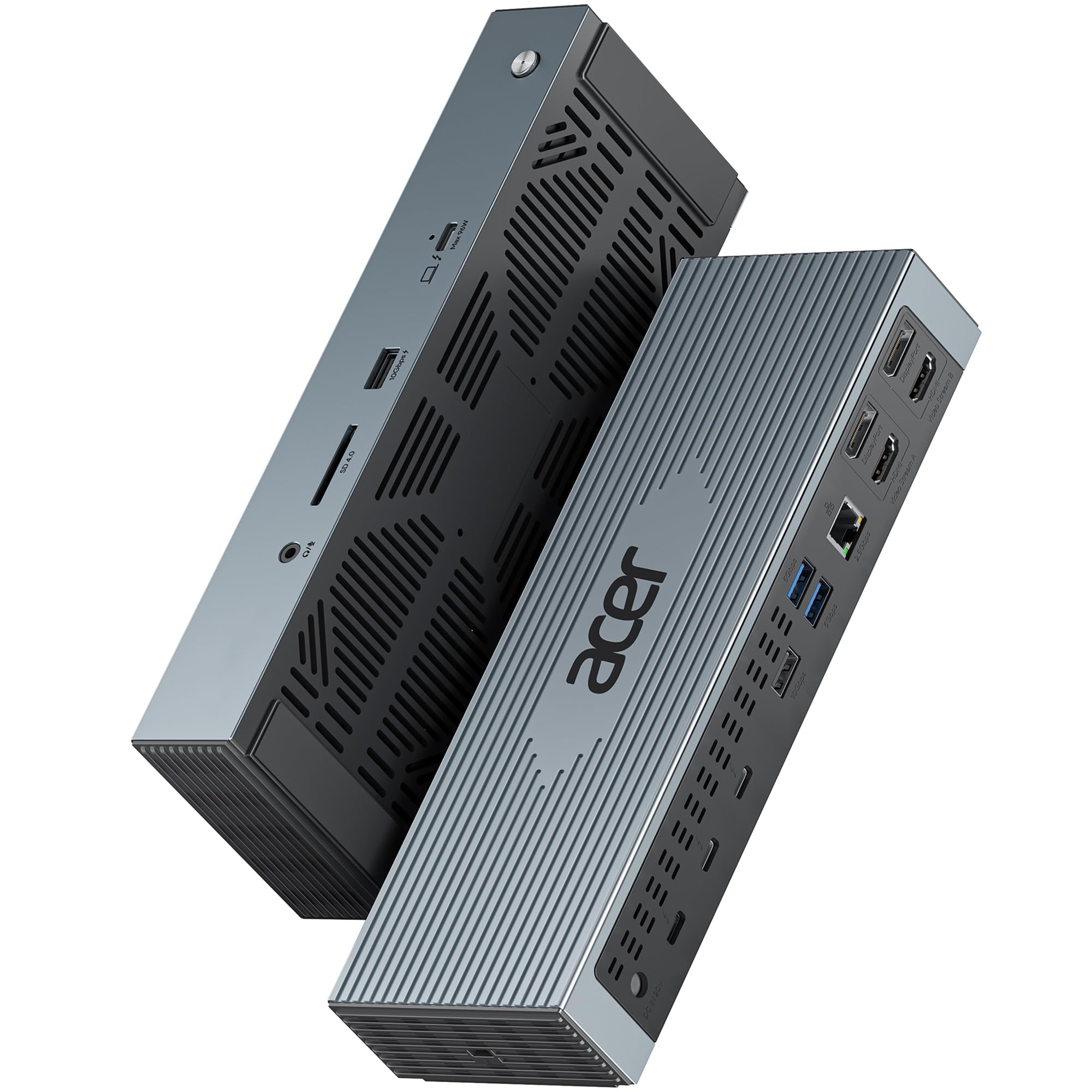



【16-in-1 Full-Feature Thunderbolt 4 Dock】This thunderbolt 4 dock is equipped with 3×Thunderbolt 4 (8K@30Hz & 40Gbps), 2×HDMI (4K@60Hz), 2×DisplayPort (4K@60Hz), 2×USB-A (10Gbps), 2×USB-A (5Gbps), 2.5G Ethernet, SD4.0 (312MB/s), audio/mic port, USB-C Host (PD 96W), and an Input 160W DC power port — offering high performance and versatile connectivity to meet all your needs. 📌𝐍𝐨𝐭𝐞: 𝐏𝐥𝐞𝐚𝐬𝐞 𝐝𝐨𝐰𝐧𝐥𝐨𝐚𝐝 𝐭𝐡𝐞 𝐥𝐚𝐭𝐞𝐬𝐭 𝐃𝐢𝐬𝐩𝐥𝐚𝐲𝐋𝐢𝐧𝐤 𝐝𝐫𝐢𝐯𝐞𝐫 𝐛𝐞𝐟𝐨𝐫𝐞 𝐮𝐬𝐢𝐧𝐠 𝐭𝐡𝐞 𝐝𝐨𝐜𝐤. 【Single 8K or Quad 4K@60Hz Display】The thunderbolt 4 docking station supports a single 8K@30Hz display or up to four 4K@60Hz displays. 📌𝐍𝐨𝐭𝐞: 𝐄𝐧𝐬𝐮𝐫𝐞 𝐲𝐨𝐮𝐫 𝐥𝐚𝐩𝐭𝐨𝐩 𝐬𝐮𝐩𝐩𝐨𝐫𝐭𝐬 𝐃𝐏 𝐀𝐥𝐭 𝐌𝐨𝐝𝐞 𝐚𝐧𝐝 𝐡𝐚𝐬 𝐬𝐮𝐟𝐟𝐢𝐜𝐢𝐞𝐧𝐭 𝐛𝐚𝐧𝐝𝐰𝐢𝐝𝐭𝐡 𝐟𝐨𝐫 𝐟𝐨𝐮𝐫 𝟒𝐊@𝟔𝟎𝐇𝐳 𝐦𝐨𝐧𝐢𝐭𝐨𝐫𝐬; 𝐨𝐭𝐡𝐞𝐫𝐰𝐢𝐬𝐞, 𝐝𝐢𝐬𝐩𝐥𝐚𝐲 𝐩𝐞𝐫𝐟𝐨𝐫𝐦𝐚𝐧𝐜𝐞 𝐦𝐚𝐲 𝐛𝐞 𝐫𝐞𝐝𝐮𝐜𝐞𝐝. 【Fast 40Gbps Data Transfer】The Thunderbolt 4 Dock features three Thunderbolt 4 ports supporting ultra-fast 40Gbps data transfer, allowing you to move large files in seconds. It also includes 2×USB-A 3.2 (10Gbps) and 2×USB-A 3.0 (5Gbps) ports for versatile connectivity, while the built-in SD 4.0 card reader offers transfer speeds up to 312MB/s for even greater flexibility. 【160W Super Power Adapter】The laptop docking station comes with a powerful 160W adapter, delivering reliable power for any Thunderbolt or USB-C host device. The USB-C host port provides up to 96W PD to charge the connected laptop (host device) only. 📌Note: Ensure your laptop’s USB-C port supports the PD protocol to enable high-speed charging.📌Note: The dock requires re-press the power button to restart after a power loss. 【2.5 Gigabit Ethernet】The Thunderbolt Dock features a 2.5Gbps Ethernet (RJ45) port for a stable, ultra-fast wired network connection, backward compatible with 1Gbps and 100Mbps devices. It also includes a 3.5mm audio/microphone jack for easy connection to headphones or mics, ensuring crystal-clear communication and rich, immersive sound quality. 【Perfect Displaylink Dock for MacBook Users】The Thunderbolt 4 Docking Station with a built-in DisplayLink chip is an excellent choice for MacBook users who need extended screen capability. It supports MST mode on macOS, allowing multiple external displays without limitations. To enable full multi-display functionality, please install the official DisplayLink driver. 📌Note: Only M1/M2 Max or newer Mac models support up to 5 displays (laptop + 4 external monitors). This versatile dock allows you to simultaneously connect up to four monitors to a Chromebook through the Thunderbolt 4, HDMI, and DisplayPort outputs on the dock, giving you the ability to easily extend or mirror your content. Maximum resolution when supporting three external displays is limited to 4K@60Hz.