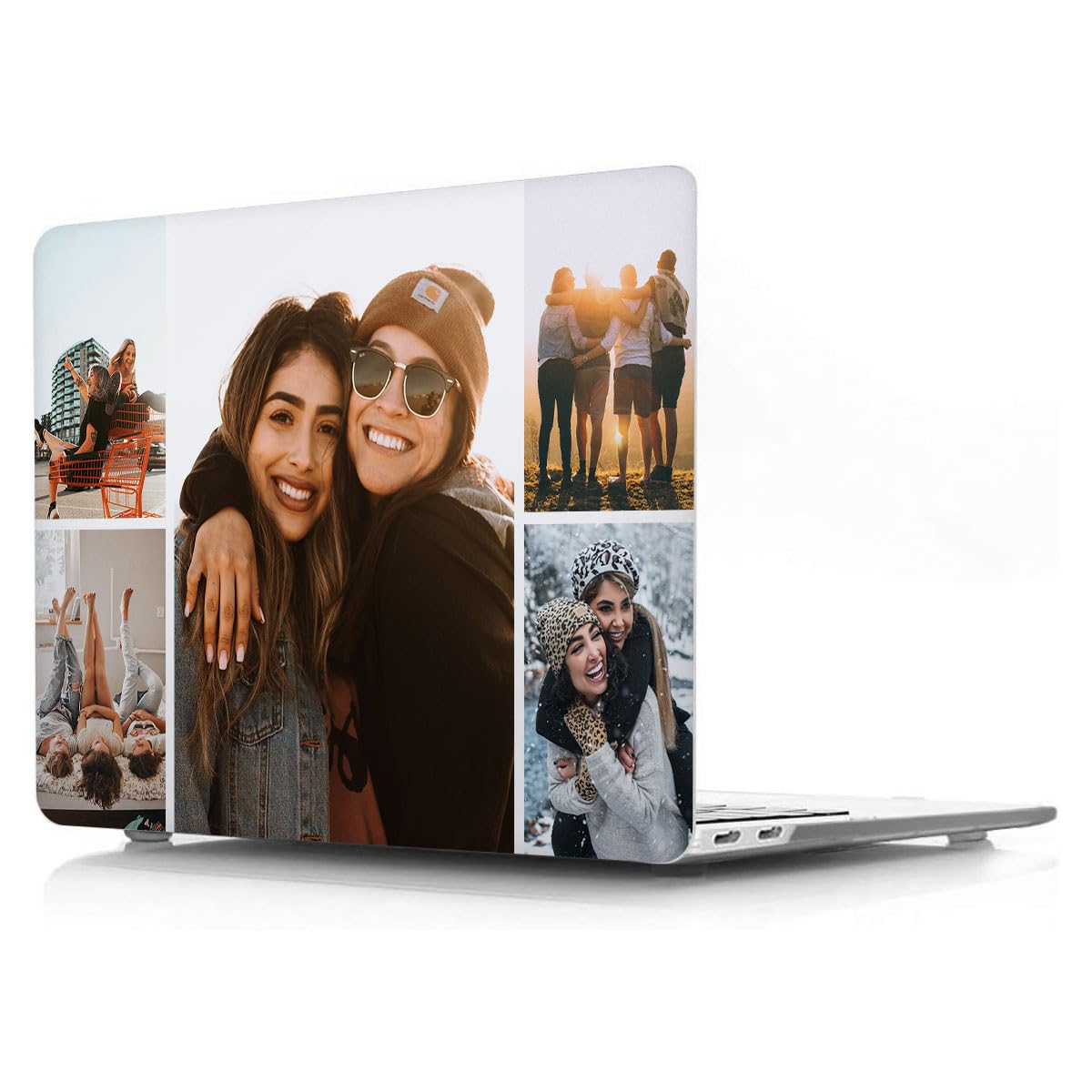



💎【CUSTOMIZED CASE】:This is a personalized Apple laptop MacBook case, you can upload photos of family, friends or your favorite pictures to design your own laptop case. It's as simple as designing online, click the "Customize Now" button and upload the photo to your computer or phone. 💎【COMPATIBILITY】:Specifically designed for Old MacBook Pro 13.3 in. 2012 / 2011 / 2010 / 2009 /2008 release model A1278.Please check the model number "A1xxx" on the back of the MacBook before purchase.WARNING: This case is NOT compatible with other model laptops. 💎【HARD CASE】:High-quality PC plastic with high impact strength, wide temperature range, and good dimensional stability(You don't have to worry about the case deforming due to high temperatures). Hard Shell Case could protect your MacBook from scratches. 💎【CUT OUT VENTS】:Aside From Regular Port Cut-outs, The Bottom Of The Case Perfectly Matches The Vent Slots Of Your for MacBook For Proper Ventilation. It Also Has 4 Rubberized Feet That Adds A Few Millimeter Of Surface Separation To Maximize Air Circulation. 💎【PICTURE DOSE NOT FADE】:Our advanced printing technology process makes the prints of your photo resistant to fades, peels and scratches.The picture will not fade after long-term use. Personalized MacBook case compatible with MacBook Pro 13 inch Old Version(A1278 with CD-ROM), Release Early 2012/2011/2010/2009/2008.
✅Completely personalized design, customize your unique MacBook protective case.
✅Exquisite finish plastic hard shell case protects your laptop from scrapes and scratches.
✅Four non-slip silicone feet keeps your laptop firmly in place.
✅Fully vented for safe heat disbursement, fully access to all buttons and features.
✅Ultra slim light weight hard case in weight and thickness design almost adds no weight to your device.
✅The case is designed with two rows of bottom ventilation, allowing safe heat disbursement, help your laptop staying cool.
✅Full access to all ports and features, plug-in cable, charger, or earphones without removing the case.
✅The slim design of the cases make it easy to carry inside your bags,or briefcase.
HOW TO INSTALL THE CASE
1️⃣. Please find the 4 clips for top cover and 4 clips for bottom cover.
2️⃣. Please attach the bottom cover at the hinge location first. There are 2 clips to seure the back side of bottom cover.
3️⃣. Apply gentle force to the 2 clips at the front side of bottom cover.
4️⃣. Please attach the top cover at the hinge location first.
5️⃣. Apply gentle force to snap on the top cover.
FRIENDLY NOTE
In order to ensure that the products will fit perfectly on your laptop, please check the model number "A1xxx" on the back of your MacBook before you purchase.
✅Completely personalized design, customize your unique MacBook protective case.
✅Exquisite finish plastic hard shell case protects your laptop from scrapes and scratches.
✅Four non-slip silicone feet keeps your laptop firmly in place.
✅Fully vented for safe heat disbursement, fully access to all buttons and features.
✅Ultra slim light weight hard case in weight and thickness design almost adds no weight to your device.
✅The case is designed with two rows of bottom ventilation, allowing safe heat disbursement, help your laptop staying cool.
✅Full access to all ports and features, plug-in cable, charger, or earphones without removing the case.
✅The slim design of the cases make it easy to carry inside your bags,or briefcase.
HOW TO INSTALL THE CASE
1️⃣. Please find the 4 clips for top cover and 4 clips for bottom cover.
2️⃣. Please attach the bottom cover at the hinge location first. There are 2 clips to seure the back side of bottom cover.
3️⃣. Apply gentle force to the 2 clips at the front side of bottom cover.
4️⃣. Please attach the top cover at the hinge location first.
5️⃣. Apply gentle force to snap on the top cover.
FRIENDLY NOTE
In order to ensure that the products will fit perfectly on your laptop, please check the model number "A1xxx" on the back of your MacBook before you purchase.