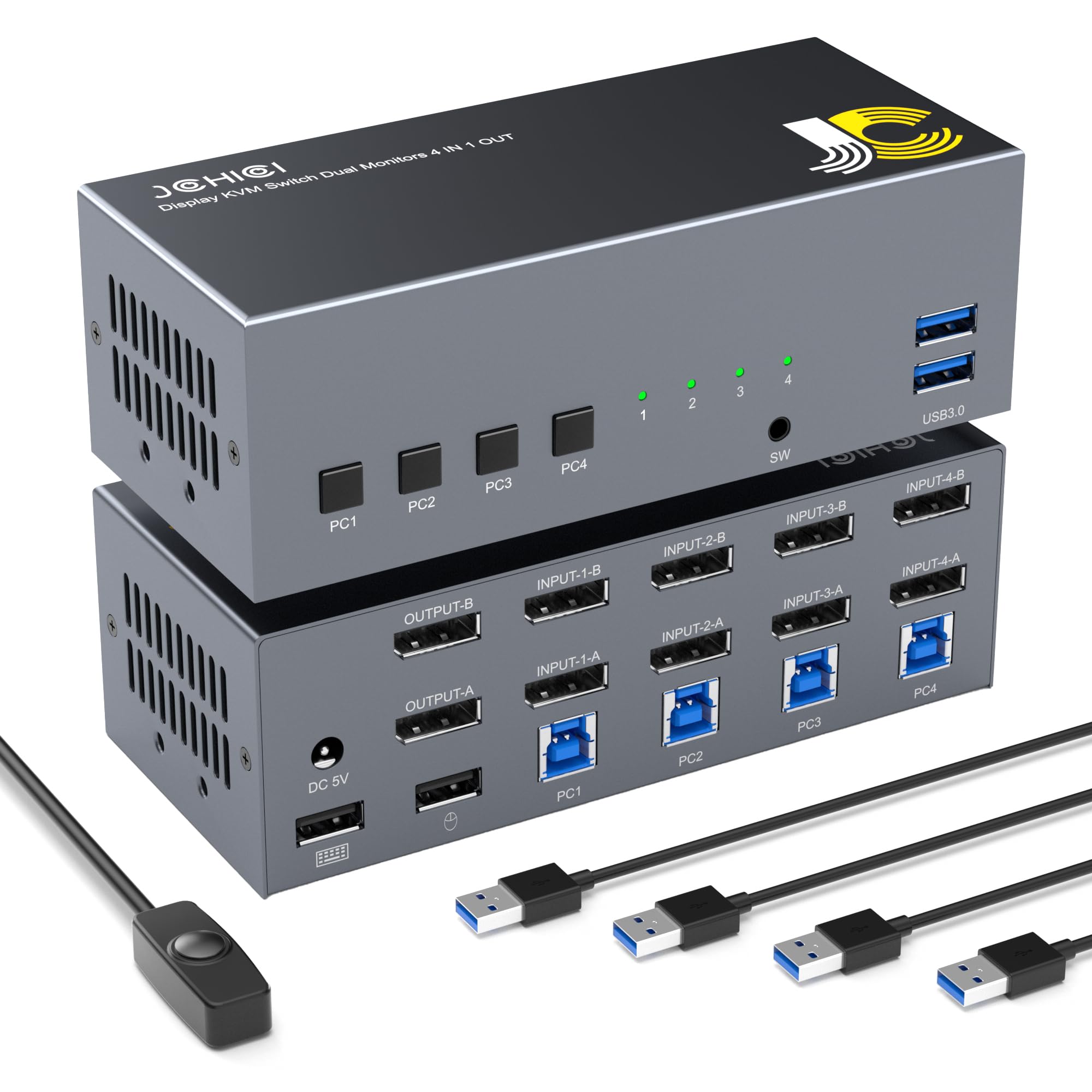



📺【 Stunning 4K@60Hz Visual Quality】 Compliant with the DisplayPort 1.2 standard, this KVM switch supports resolutions up to 4K@60Hz, with backward compatibility for lower resolutions like 2K and 1080P. 📺【Dual-Monitor KVM Switch for 4 Computers with DisplayPort】 This DisplayPort KVM switch allows you to seamlessly control up to four computers using just one keyboard, mouse, and two monitors. With support for both mirror and extended display modes, it offers more flexibility and efficiency than traditional single-monitor KVM switches. (Note: Each computer must have two DisplayPort outputs and support extended display. HDMI/VGA/DVI/USB-C to DisplayPort adapters are compatible, but dual display functionality may be limited if your computer only supports single display output.) 📺【 Three Convenient Switching Options】 Switch between computers effortlessly using the four dedicated buttons on the KVM switch, the included 1.5-meter wired remote control, or keyboard hotkeys. Multiple hotkey combinations are available to cater to different user preferences. Four LED indicators on the front panel provide clear visual feedback on the current computer selection. 📺【Dual USB 3.0 Ports for Peripheral Connectivity】 In addition to the KVM USB ports for your keyboard and mouse, this 4x2 DisplayPort switch includes two USB 3.0 ports (backward compatible with USB 2.0/1.1) for connecting other USB devices such as printers, flash drives, and hard drives. Enjoy fast data transfer speeds of up to 5Gbps. (Note: Use the provided USB 3.0 cable for computer connection to ensure USB 3.0 device recognition.) 📺【 Multiple Control Methods for Your Convenience】 In addition to front panel buttons, the KVM switch is also compatible with keyboard hotkeys for control. Multiple control methods cater to your needs in different scenarios. 📺【Easy Display Configuration 】After connecting your devices, if only one monitor displays an image, press Win+P on your keyboard to access the display configuration menu. To adjust the arrangement of your monitors, go to "Display Settings" and rearrange Display 1 and Display 2 as needed. 📺【 Product list】 ①1 * 4x1 DP KVM Switch; ②1 * Power adapter; ③1 * Desktop switch the keyboard ; ④4 * USB Cables; ⑤1 * User manual; 1