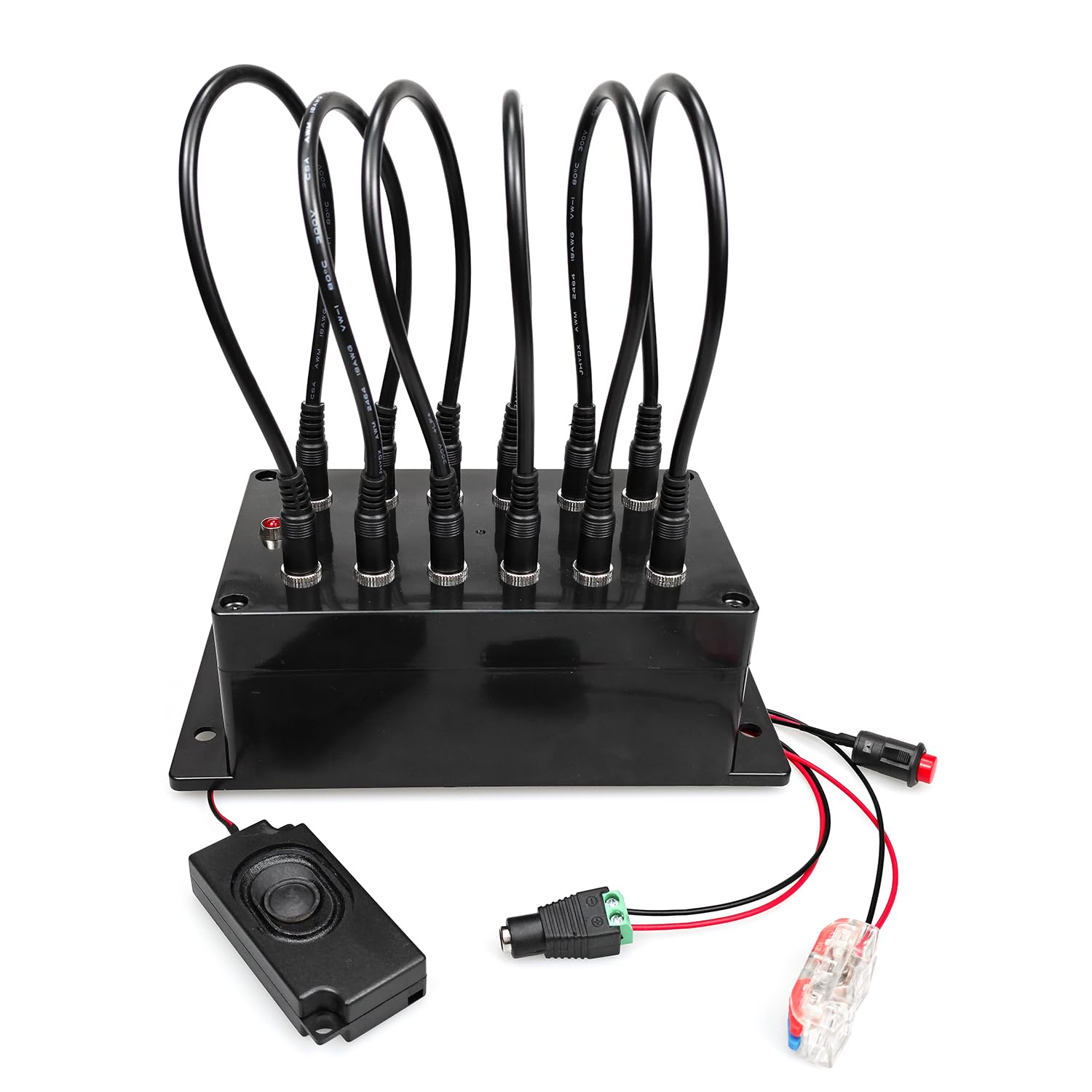



PLUG IN CABLES TO UNLOCK: The plug wire box props is used for reality escape room game. There are 8 cables and 1 plug in box, adventurers should find out the right way to insert 6 cables into the box to unlock the door. MODIFY THE PASSWORD BY YOURSELF: For Escape Room Game, trigger password diversification. The jumper wire configuration is completely configurable by the game builder. You can use 1-6 wires in any combination, more wire to be pluhg-in, more difficult. FIT FOR VARIOUS GAME THEMES. Designed from a professional perspective. So the items are multi-functional and fit for various game themes. EASY SETTING UP: Set the PLUG IN BOX step by step refer to the user manual, and it can compatible with standard doors, and installation is straightforward and quickly. AUDIO VERSION AND NO AUDIO VERSION: There are audio version and without audio version for selection, If you have the audio version, the box will play sound effects which can be customized as well (audio format MP3, no more than 16M, audio version only). This plug wire prop uses 6 jumper wires to create an interesting puzzle for your escape room. Using your clues, players must determine the correct sequence to connect the jumpers. Once completed the controller will trigger and unlock your lock.
PACKING LIST
1 x Plug Wire Box
1 x 12V Power Adapter
8 x Wires with Plugs
1 x USB Cable
1 x User Instruction
CONNECTING THE 12V EM LOCK
The red wire of the EM lock (12V Positive) is connected to the red port of the box. The black wire of the EM lock (12V Negative) is connected to the black port of the box. NOTE: Electromagnetic locks are NOT included.
HOW TO PLAY
Step 1: Power on the controller. You will hear a beep to indicate it is ready and the light will turn on. If you have the audio version you will hear voice prompts as well.
Step 2: Using your clues, players will have to determine which jacks need to be connected via the jumper wires. You may want to add labels with numbers or symbols to differentiate the different jacks.
Step 3: When all wires are plugged into the correct jacks, the box will beep twice, the light will turn off, and your lock will open.
SETTING THE PUZZLE SOLUTION
1. Power off the controller.
2. Hold the setting button (red button connected by wire to the box) and power on the controller until you hear two beeps (audio voice tips for the audio version) then release the button.
3. Insert the wires into the jacks as desired. This will determine the solution your players must find later.
4. Press the setting button again to save your solution. You will hear 6 beeps if successful.
5. Power on the controller. Be sure to test your solution to ensure it saved properly.
HOW TO RESET
There are 3 ways to reset the props.
Automatically reset mode: Waiting for 1 minute to automatically reset after successful trigger.
Real Time reset mode: Remove any wire to reset.
Manual reset: Restart the controller to reset.
MODIFY THE VOICE FILES
1. Open the removable disk shows in the PC, backup all the original files in the controller.
2. Replace the original file with your favorite sound file, the path and the file name cannot be changed, the audio file format must be in MP3 format.
3. If you want to format the removable disk, please format it to FAT format only. Please do not format it to FAT32, exFAT or NTFS format, no more than 16M of the audio files.
PACKING LIST
1 x Plug Wire Box
1 x 12V Power Adapter
8 x Wires with Plugs
1 x USB Cable
1 x User Instruction
CONNECTING THE 12V EM LOCK
The red wire of the EM lock (12V Positive) is connected to the red port of the box. The black wire of the EM lock (12V Negative) is connected to the black port of the box. NOTE: Electromagnetic locks are NOT included.
HOW TO PLAY
Step 1: Power on the controller. You will hear a beep to indicate it is ready and the light will turn on. If you have the audio version you will hear voice prompts as well.
Step 2: Using your clues, players will have to determine which jacks need to be connected via the jumper wires. You may want to add labels with numbers or symbols to differentiate the different jacks.
Step 3: When all wires are plugged into the correct jacks, the box will beep twice, the light will turn off, and your lock will open.
SETTING THE PUZZLE SOLUTION
1. Power off the controller.
2. Hold the setting button (red button connected by wire to the box) and power on the controller until you hear two beeps (audio voice tips for the audio version) then release the button.
3. Insert the wires into the jacks as desired. This will determine the solution your players must find later.
4. Press the setting button again to save your solution. You will hear 6 beeps if successful.
5. Power on the controller. Be sure to test your solution to ensure it saved properly.
HOW TO RESET
There are 3 ways to reset the props.
Automatically reset mode: Waiting for 1 minute to automatically reset after successful trigger.
Real Time reset mode: Remove any wire to reset.
Manual reset: Restart the controller to reset.
MODIFY THE VOICE FILES
1. Open the removable disk shows in the PC, backup all the original files in the controller.
2. Replace the original file with your favorite sound file, the path and the file name cannot be changed, the audio file format must be in MP3 format.
3. If you want to format the removable disk, please format it to FAT format only. Please do not format it to FAT32, exFAT or NTFS format, no more than 16M of the audio files.