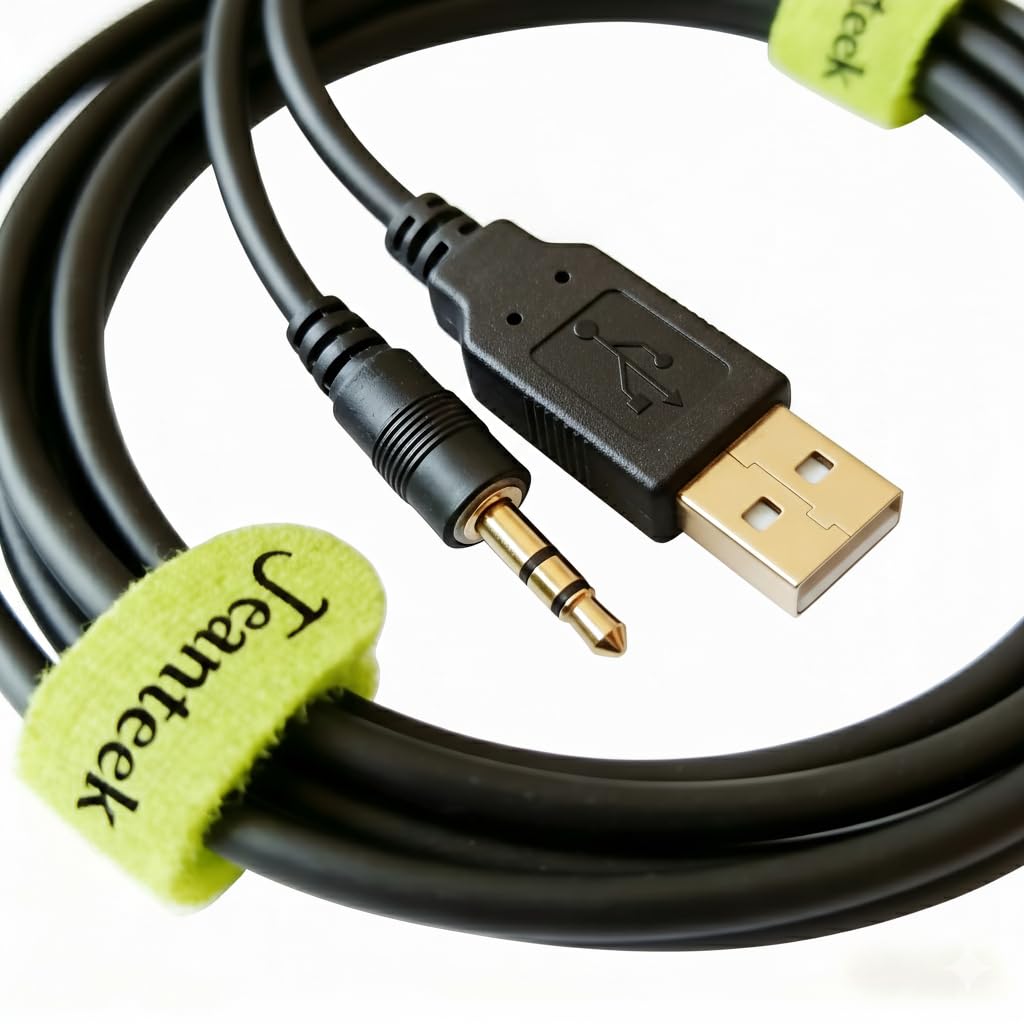



FT232RL Superior smart controller circuit over-molded inside the USB housing. Superior smart controller circuit over-molded inside the USB housing. Super easy driver installation and no driver CD needed, latest driver software always can be downloaded directly from Internet. It does NOT work with Auto-assist on Mac. Only works with Carelink on Mac platform. It compatible with all Windows versions including Windows 10, Windows 8, Windows 7, Windows Vista and Windows XP, Windows 98, Android, Linux, Windows ME.NET(4.2 or greater). This cable is not designed or manufactured by Abbott laboratories. Work with Freestyle meters and Freestyle Copilot Health Management System to download, manage and report data. This cable doesn’t work with Diasend, Tconnect and Freestyle Auto-Assist. It works with Freestyle Co-pilot, Carelink and SiDiary on Windows platform. It works with Tidepool(free) and Carelink(free) on Windows platform. It works Carelink and Tidepool on Mac platform. It does NOT work with Auto-assist Every cable is built to last for years with high-quality industrial-grade materials.
A smart USB to 2.5mm stereo jack cable(1m feet) compatible with a variety of Abbott Freestyle glucose meters:
Freestyle Freedom, Freestyle Lite, Freestyle Freedom Lite, and Freestyle flash.
Superior smart controller circuit over-molded inside the USB housing.
No driver installation needed (Plug&Play) for Windows 10, 8, and 7, super easy driver installation for other operating systems.
No driver CD in the package, latest driver software downloaded directly from the Internet.
But if fail, please use driver installing manually We stand behind every cable we make, we provide a one-year manufacturer warranty and three-month no-hassle return and full refund.
Troubleshooting:
If it doesn’t work normally, please try the following steps:
While using ´SiDiary´ to download data from your meter, please select the right meter model to make it work well.
Step 1: Went to the Freestyle Web site and downloaded the Copilot Program..
Step 2: Went to the Web Address, and got the Drivers.
Step 3:Installed the Drivers, plugged in the Cable only (make sure the plus are fully seated), opened Device Manager, and setup the USB and COM Port updates.
Step 4: Installed the Copilot Program, connected the Meter, but got data error- unable to read..
Step 5: Went to DataEntry on the top bar, selected Assign Default Device, Set to COM5 and restarted PC. .
Step6:Hit the Read Device and all was well.
A smart USB to 2.5mm stereo jack cable(1m feet) compatible with a variety of Abbott Freestyle glucose meters:
Freestyle Freedom, Freestyle Lite, Freestyle Freedom Lite, and Freestyle flash.
Superior smart controller circuit over-molded inside the USB housing.
No driver installation needed (Plug&Play) for Windows 10, 8, and 7, super easy driver installation for other operating systems.
No driver CD in the package, latest driver software downloaded directly from the Internet.
But if fail, please use driver installing manually We stand behind every cable we make, we provide a one-year manufacturer warranty and three-month no-hassle return and full refund.
Troubleshooting:
If it doesn’t work normally, please try the following steps:
While using ´SiDiary´ to download data from your meter, please select the right meter model to make it work well.
Step 1: Went to the Freestyle Web site and downloaded the Copilot Program..
Step 2: Went to the Web Address, and got the Drivers.
Step 3:Installed the Drivers, plugged in the Cable only (make sure the plus are fully seated), opened Device Manager, and setup the USB and COM Port updates.
Step 4: Installed the Copilot Program, connected the Meter, but got data error- unable to read..
Step 5: Went to DataEntry on the top bar, selected Assign Default Device, Set to COM5 and restarted PC. .
Step6:Hit the Read Device and all was well.