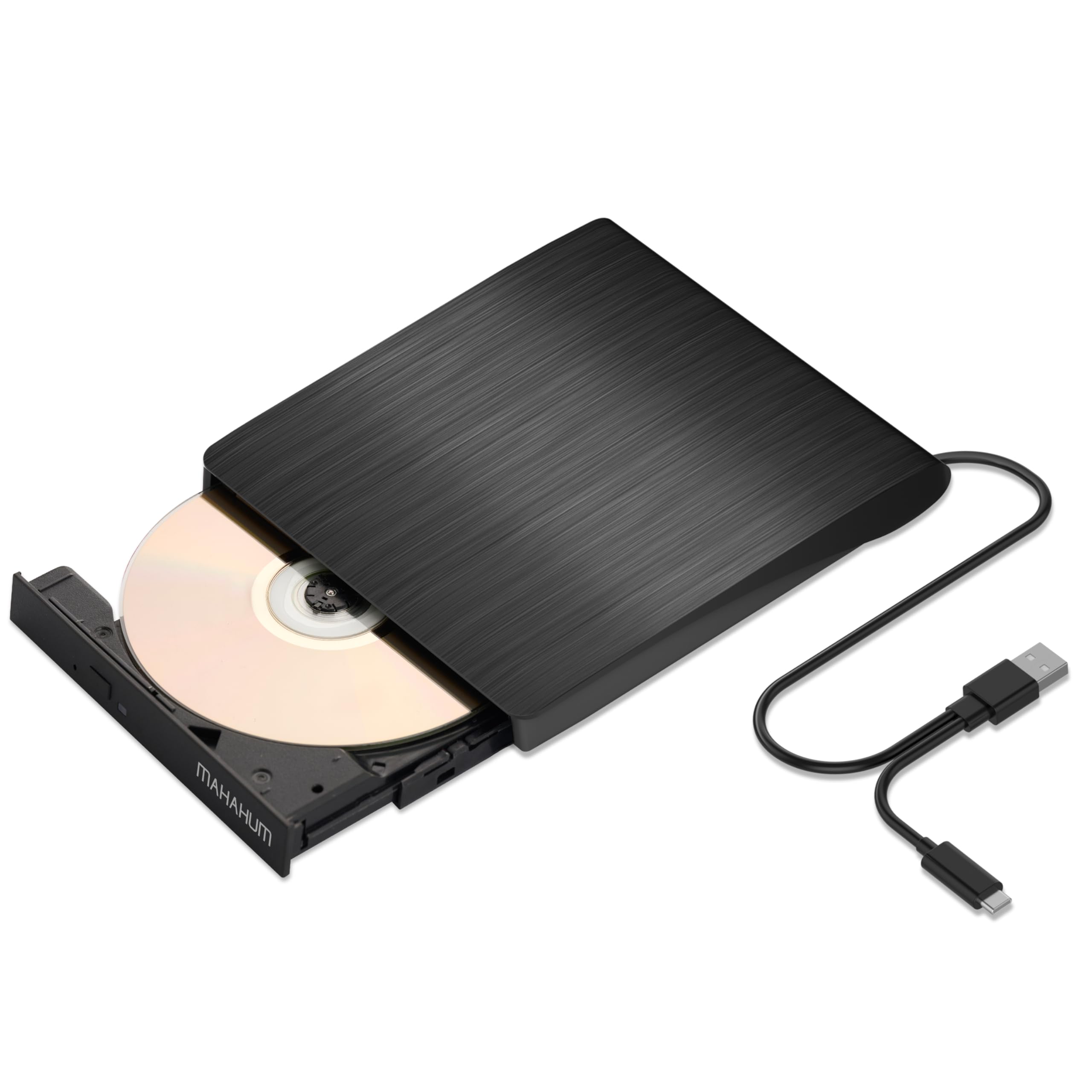



MAHAHUM External CD/DVD +/-RW Drive for Laptop, USB 3.0 & USB-C Portable CD DVD Writer Burner Reader, Ultra-Slim External DVD Drive Compatible with PC

$15.29
by MAHAHUM

Shop Now
[High Speed & Stable Performance] Leveraging USB 3.0 technology, the drive delivers data transfer speeds of up to 5 Gbps—10x faster than USB 2.0. With max read/write speeds of CD 24X and DVD 8X, it can transfer a full 4.7GB DVD in approximately 10 minutes. Advanced Error-Correction Technology and an anti-vibration design work together to automatically repair data from slightly scratched or damaged discs during playback, ensuring smooth operation and reliable burning, all while the whisper-quiet motor maintains a quiet environment. [Wide Compatibility] Works with Windows 11/10/8.1/7, macOS X 10.6 or later, and major Linux systems. Perfect for Apple M1/M2/M3 chip MacBooks, iMac, and most Windows laptops, desktops, or all-in-one PCs from brands like Dell, HP, Lenovo, and ASUS. Please Note:​ This drive is NOT compatible with Chromebooks (Chrome OS), iPads/tablets, smartphones, TVs, projectors, game consoles (like PS5/Xbox), and does NOT support Blu-ray or 4K UHD discs. [The MAHAHUM Quality Promise] MAHAHUM is committed to quality by using 100% brand-new laser modules for long-lasting stability and performance. Every external CD/DVD drive undergoes rigorous testing before shipment. Backed by 24-hour technical support​ and a 2-year warranty, we are confident in our product. We are especially dedicated to helping you rescue precious data; our support team is happy to provide data recovery advice even for discs created with non-MAHAHUM drives. [Slim & Portable Design] Featuring a compact and lightweight body, this DVD drive is easy to take with you anywhere. Its thoughtful design emphasizes portability and durability for use at home, in the office, or while traveling. [Important Notes Before Purchase] STEP 1:Ejecting Discs on Mac:​ Due to macOS restrictions, the physical button will not eject the disc after playback or burning. Please right-click the disc icon on your desktop and select "Eject," or use "File" > "Eject" within Finder. STEP 2:Connections & Power:​ For optimal performance, connect directly to your laptop's USB port. When using with older desktops or under-powered USB ports, please use the provided auxiliary power cable for stable operation. STEP 3:Software Required:​ "Plug and Play" means no hardware driver is needed, but software (like VLC for playback, Nero/Burn for burning) is still required to play or burn discs.

【Why choose MAHAHUM external cd/dvd drive for laptop?】

MAHAHUM external cd/dvd drive for laptop  brings the classic carriers back to life:

☑Full Scenario Digital Hub - Play/Burn/Erase/Rewrite/Rip/Backup, one machine realizes full life cycle management of optical discs.

☑Cross-platform Plug & Play - Seamlessly compatible with Windows 11 to XP, macOS (with M1/M2/M3 chips), Linux.

☑Super-speed transfer experience - USB 3.0 5Gbps speed transfer, CD 24X/DVD 8X read/write, intelligent acceleration technology.

☑Dual power supply is more reliable - comes standard with a separate power cord for stable operation in high power consumption scenarios.

☑Portable and shockproof design - Ultra-thin body, business travel/teaching demonstration/data rescue travel without worry!

【Technical Specifications|Technical knowledge for greater peace of mind】

◆ Full Format Support:

Support the reading, burning (writing/rewriting), and ripping (digitizing) of multi-types of discs including CD-ROM, CD-R, CD± RW, DVD-ROM, DVD-RAM, DVD±R, DVD±RW, DVD±R DL, VCD, SVCD.   (Blu-ray Disc is NOT supported)

◆ Smart Burning Recommendation:

CD recommended ≤10X burning
DVD recommended 4X-8X burning

Dual-layer DVD prioritizes 4X low speed to ensure data integrity

☑ Supported Devices

All Windows computers (XP/7/8/10/11)|All Mac models (including M1/M2/M3 chips)|Linux mainstream systems

☒ Incompatible Devices

Chromebooks/Car systems/Game consoles/Smart TVs/Tablet phones/Projectors|Blu-ray playback (DVD/CD only)

【Three minimalist steps|Newbies can easily get started!】

▎Windows System

① Plug and Play

Connect the USB-A or USB-C port of your computer with cable (Win11 requires internet connection to load the driver automatically)

② Region Code Setting

Right-click on the optical drive icon → Properties →Hardware→ Click "Properties" at the bottom→DVD region code set to #1 (5 modification opportunities only)

③ Playback/Burning

Insert a disc→Automatic recognition→Play movies with VLC or burn data with ImgBurn (power cord included to cope with high power consumption scenarios)

▎Mac system

① System Configuration

Open Finder > Settings > Ensure "CDs, DVDs, and iOS Devices" is checked in the General Tab and Sidebar Tab

② Native Burning

Insert a blank disc → Automatic recognition → Use the software to play, burn, or rip → right-click on the desktop icon and select "eject," or choose "File" > "Eject" from the menu.

Customer Reviews

No ratings. Be the first to rate

 customer ratings


How are ratings calculated?
To calculate the overall star rating and percentage breakdown by star, we don’t use a simple average. Instead, our system considers things like how recent a review is and if the reviewer bought the item on Amazon. It also analyzes reviews to verify trustworthiness.

Review This Product

Share your thoughts with other customers