MECCANIXITY Graphics Card GPU Support Bracket, GPU Stand Double Rod Magnetic Base 10-170mm Adjustable Brace for Desktop Video Card with Level,
$17.09
by MECCANIXITY



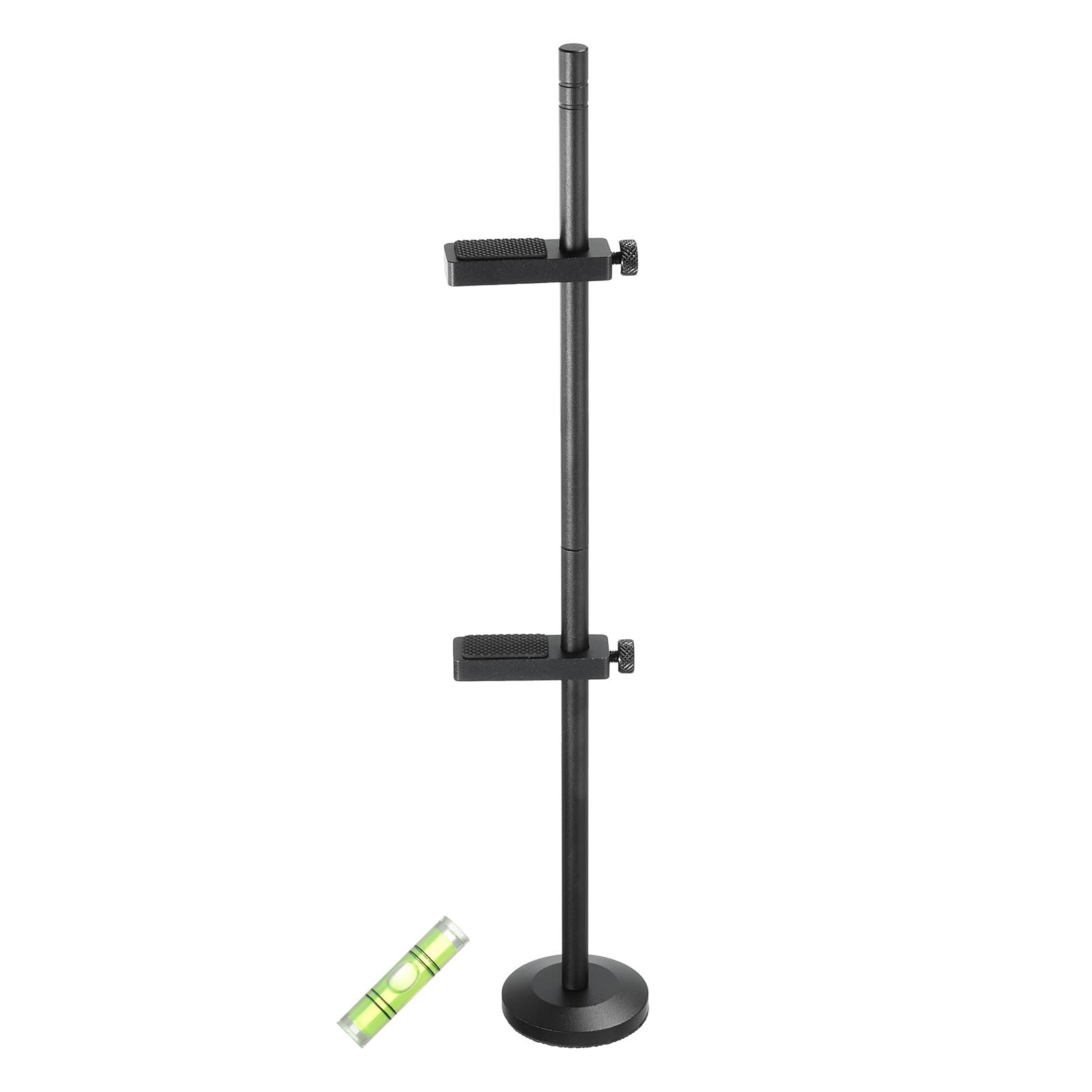
The adjustable graphics card support bracket is mainly used in desktop computers or gaming rigs where a dedicated graphics card is installed. It is typically inserted into the computer case and positioned beneath the graphics card to provide additional support and stability. Base Size: 44 x 8.5mm/1.73 x 0.33-inch (D*T); Total Height: 300mm/11.8-inch; Support Module: 52 x 16 x 8mm/2.05 x 0.63 x 0.31-inch (L*W*H); Rod Diameter: 8mm/0.31-inch; Height Range: 10-170mm Help prevent sagging, damage, and potential performance issues that can occur due to the weight or size of the graphics card. Tool-free screws fix the support module for easy installation, and the anti-scratch gasket effectively protects your graphics card. Magnetic suction at the bottom fixes the position of the graphics card to prevent it from shaking or bending. Steps of installation: 1. Measure the distance from the bottom of the case to the graphics card; 2. Screw the support module to the required height; 3. Use a level to check whether the installation is in place. Please consider the available space within your computer case when installing the bracket. What is this?
The adjustable graphics card support bracket is mainly used in desktop computers or gaming rigs where a dedicated graphics card is installed. It is typically inserted into the computer case and positioned beneath the graphics card to provide additional support and stability.
What will I get?
The Video Card Holder, we provide here, is in size of:
Material: Aluminum
Color: Black
Base Size: 44 x 8.5mm/1.73 x 0.33-inch (D*T)
Total Height: 300mm/11.8-inch
Support Module: 52 x 16 x 8mm/2.05 x 0.63 x 0.31-inch (L*W*H)
Rod Diameter: 8mm/0.31-inch
Height Range: 10-170mm
In the package of: 1 x GPU Support Bracket, 1 x Level
Are there any advantages of the product?
Help prevent sagging, damage, and potential performance issues that can occur due to the weight or size of the graphics card.
Tool-free screws fix the support module for easy installation, and the anti-scratch gasket effectively protects your graphics card.
Magnetic suction at the bottom fixes the position of the graphics card to prevent it from shaking or bending.
How to use it?
Steps of installation: 1. Measure the distance from the bottom of the case to the graphics card; 2. Screw the support module to the required height; 3. Use a level to check whether the installation is in place.
What should I notice?
Please consider the available space within your computer case when installing the bracket.
The adjustable graphics card support bracket is mainly used in desktop computers or gaming rigs where a dedicated graphics card is installed. It is typically inserted into the computer case and positioned beneath the graphics card to provide additional support and stability.
What will I get?
The Video Card Holder, we provide here, is in size of:
Material: Aluminum
Color: Black
Base Size: 44 x 8.5mm/1.73 x 0.33-inch (D*T)
Total Height: 300mm/11.8-inch
Support Module: 52 x 16 x 8mm/2.05 x 0.63 x 0.31-inch (L*W*H)
Rod Diameter: 8mm/0.31-inch
Height Range: 10-170mm
In the package of: 1 x GPU Support Bracket, 1 x Level
Are there any advantages of the product?
Help prevent sagging, damage, and potential performance issues that can occur due to the weight or size of the graphics card.
Tool-free screws fix the support module for easy installation, and the anti-scratch gasket effectively protects your graphics card.
Magnetic suction at the bottom fixes the position of the graphics card to prevent it from shaking or bending.
How to use it?
Steps of installation: 1. Measure the distance from the bottom of the case to the graphics card; 2. Screw the support module to the required height; 3. Use a level to check whether the installation is in place.
What should I notice?
Please consider the available space within your computer case when installing the bracket.