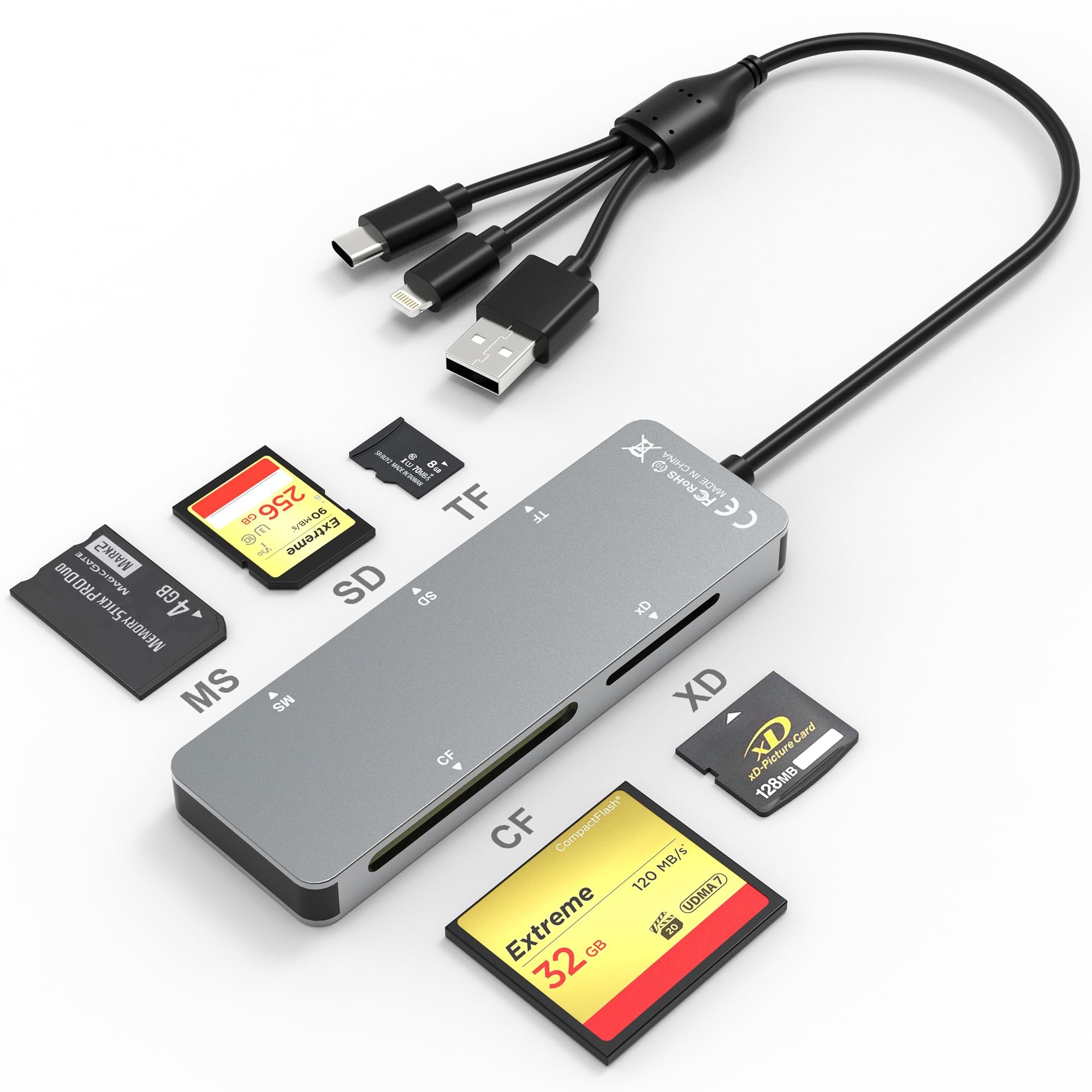
Memory Stick Pro Duo Adapter - Aluminum 5 in 1 SD/TF/CF/MS/XD Picture Card Reader for PC/Android/Lightning, Multi Memory Card Reader USB C Lightning
by KETAKY Pro



5-in-1 Multi-Port Card Reader
This compact flash card reader features SD, TF, MS, CF, and XD card slots, supporting a wide range of memory card formats, including XD, SDXC, SDHC, SD, CF, MS, Micro SDXC, Micro SDHC, and Micro SD cards.
The 3-in-1 interfaces design—Lightning, USB-C, and USB 3.0—ensures compatibility with a variety of devices, allowing you to quickly view photos and videos on your phone or computer. Experience this year’s most popular 3-in-1 design!
Lightning + USB-C + USB-A: 3-in-1 Port Design
This versatile card reader features a 3-in-1 port design:
USB-C Port: Compatible with iPhone 16/15, Samsung Galaxy, Huawei devices, tablets, laptops, and MacBooks.
Lightning Port: Supports iPhone 14/14 Plus, 13/13 Pro/13 Pro Max/13 Mini, 12/12 Mini, 11 Pro/11 Pro Max, XS Max, XS, and more.
USB A Port: Supports PC and so on.
Multi Card Reader
Comes with CF/SD/TF/XD/MS five card slots.
Supports a wide range of card types such as SDXC, SDHC, SD, CF, MS, Micro SDXC, and Micro SDHC.
This design eliminates the need for separate card readers for each card format, thus saving space.
Note: Reading two cards at the same time is not supported.
480Mbps Super Speed Transfer
Enjoy data transfer speeds of up to 480Mbps, allowing you to quickly transfer images and videos from your card to your iPhone, iPad, Android device, or computer. Save valuable time and enhance your work efficiency with rapid file transfers.
Plug and Play
The micro SD card reader offers a plug-and-play design, eliminating the need for additional drivers and ensuring a seamless user experience.
OS How to store from phone to memory card?
1. Insert the memory card into the card reader.
2. Connect the card reader to your iPhone and open the "photos" app.
3. Select the picture or video you want to save to the memory card.
4. Click the button in the lower-left corner and select "Save to Files".
5. Locate the card reader folder (generally labeled as "Untitled" or "NONAME") and select
6. Save File to complete the operation.
OS How to store from memory card to phone?
1. Insert the memory card into the card reader.
2. Connect the card reader to your iPhone.
3. Open the "Files" app and tap on U"ntitled".
4. Select the photo or video you want to import to your iPhone.
5. Select "Save Items" to complete the operation.
Warm Prompt
This compact flash card reader features SD, TF, MS, CF, and XD card slo