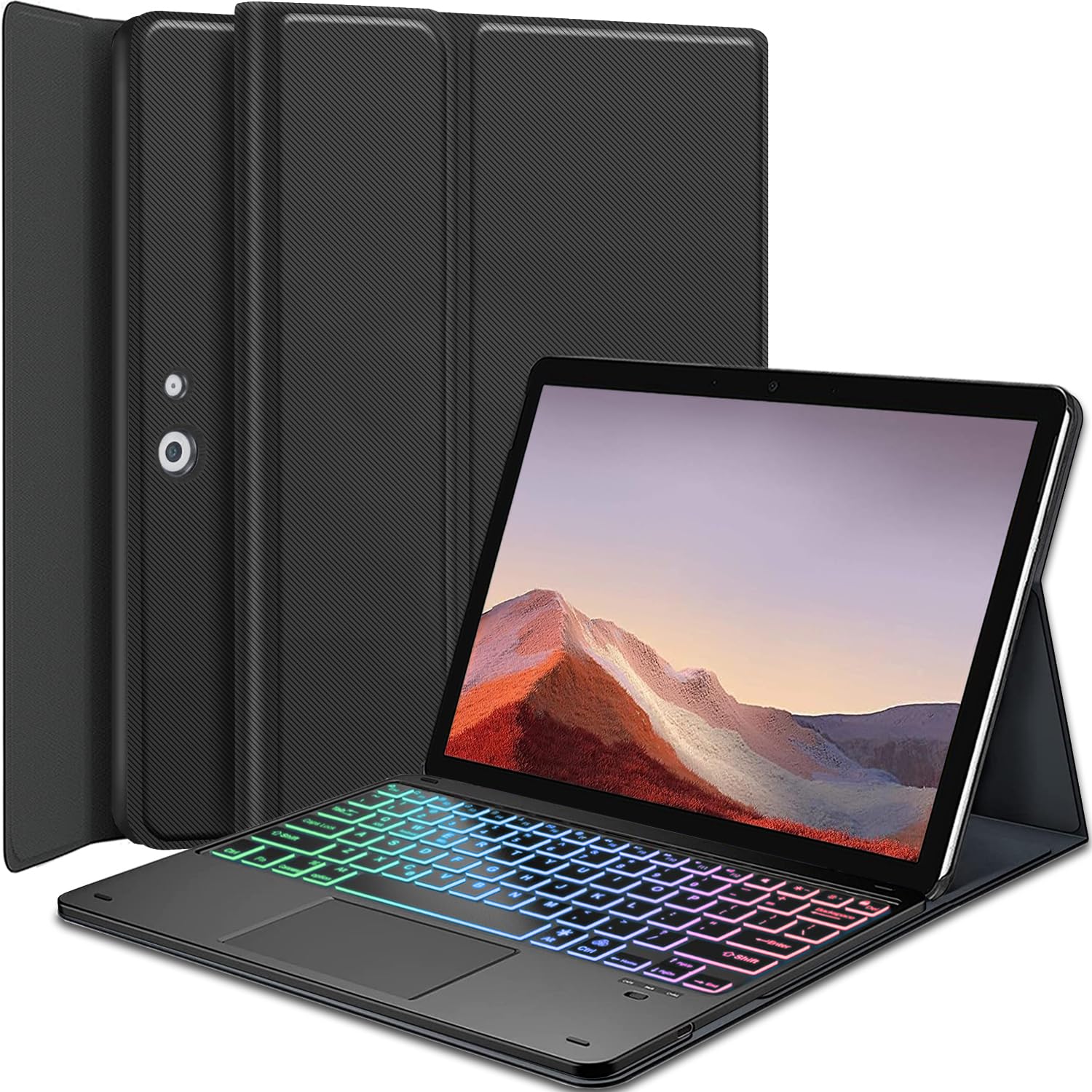



【Compatibility Model】EXCLUSIVE sophisticated look design for Microsoft Surface Pro 7 Plus (2021) / Surface Pro 7 (2019) / Surface Pro 6 (2018) / Surface Pro 5th Gen (2017) / Surface Pro 4 12.3 inch tablet. PLEASE MAKE SURE YOUR SURFACE PRO VERSION BEFORE MAKE PURCHASE !! NOT fit for Pro 2 / Pro 8 / Pro 9 / Pro 10 / Pro 11 / Pro X. 【Precise Hole Position, Honeycomb Design】The mold case is made based on the real tablet, and the precise cutouts can make full use of all functions, and provide perfect protection and convenience for daily use. The soft TPU inner shell adopts a honeycomb design, which is beneficial to the heat dissipation of the tablet and improves the performance of the tablet. 【Rainbow Backlight】Suitable for Surface rainbow backlight keyboard, 7 adjustable backlight colors, breathing light backlight mode can be automatically switched. The backlit keyboard can be used in the dark, providing a comfortable typing experience. 【Touchpad Keyboard + Multi Touch】The keyboard has a trackpad that supports multi-finger gesture functions. A single finger can slide to move the cursor,click to select a target,etc.Use two fingers to slide to switch pages,open/reduce images,etc.Use three fingers to slide down to take a screenshot,slide up to return to the main interface,etc. 【Turn Your Tablet into A Laptop】Keyboard can support Android Systems, iOS Systems, Windows Systems. Real hard laptop style keyboard with high end ABS material. Not cheap silicone keyboard as other cases in market. A spring mechanism underneath each key ensures a tactile response with every stroke, helping you to type faster and with less error than on a touchscreen. Compatibility
Exclusively designed for 12.3 inch Surface Pro 7 Plus / Surface Pro 7 / Surface Pro 6 / Surface Pro 5 / Surface Pro 4 tablet. NOT for other Surface tablet model.
How to connect the keyboard with the tablet?
1. Dial ON/OFF button on right direction for opening keyboard, press "FN+C" for into wireless matching condition.(After connecting, press "FN+C" again to disconnect Bluetooth.)
2. Open Bluetooth on device, search keyboard name: [Keyboard] for matching device to keyboard.
3. Click the "Keyboard" to connect, finish.
4. Press "Fn+W" to switch to the corresponding Windows input system.
How to adjusts the colour of the backlight?
1.Click "Bulb" Key to adjust the brightness of the backlight.
2.Click "Fn+Bulb" to switch between 7 color schemes.
Specification:
Charging voltage: 5V
Bluetooth version: Bluetooth 5.0
Transmission distance: up to 10 m
Capacity of battery: 450 mAH
Charging time: 2-3 hours
Working time: 90 hours without backlight
Working time: 10 hours with backlight
Standby time: 180 days
What's in the box?
Tablet Case * 1
Rainbow Backlight Touchpad Keyboard * 1
USB-C Charging Cable * 1
Product Manual * 1
Exclusively designed for 12.3 inch Surface Pro 7 Plus / Surface Pro 7 / Surface Pro 6 / Surface Pro 5 / Surface Pro 4 tablet. NOT for other Surface tablet model.
How to connect the keyboard with the tablet?
1. Dial ON/OFF button on right direction for opening keyboard, press "FN+C" for into wireless matching condition.(After connecting, press "FN+C" again to disconnect Bluetooth.)
2. Open Bluetooth on device, search keyboard name: [Keyboard] for matching device to keyboard.
3. Click the "Keyboard" to connect, finish.
4. Press "Fn+W" to switch to the corresponding Windows input system.
How to adjusts the colour of the backlight?
1.Click "Bulb" Key to adjust the brightness of the backlight.
2.Click "Fn+Bulb" to switch between 7 color schemes.
Specification:
Charging voltage: 5V
Bluetooth version: Bluetooth 5.0
Transmission distance: up to 10 m
Capacity of battery: 450 mAH
Charging time: 2-3 hours
Working time: 90 hours without backlight
Working time: 10 hours with backlight
Standby time: 180 days
What's in the box?
Tablet Case * 1
Rainbow Backlight Touchpad Keyboard * 1
USB-C Charging Cable * 1
Product Manual * 1