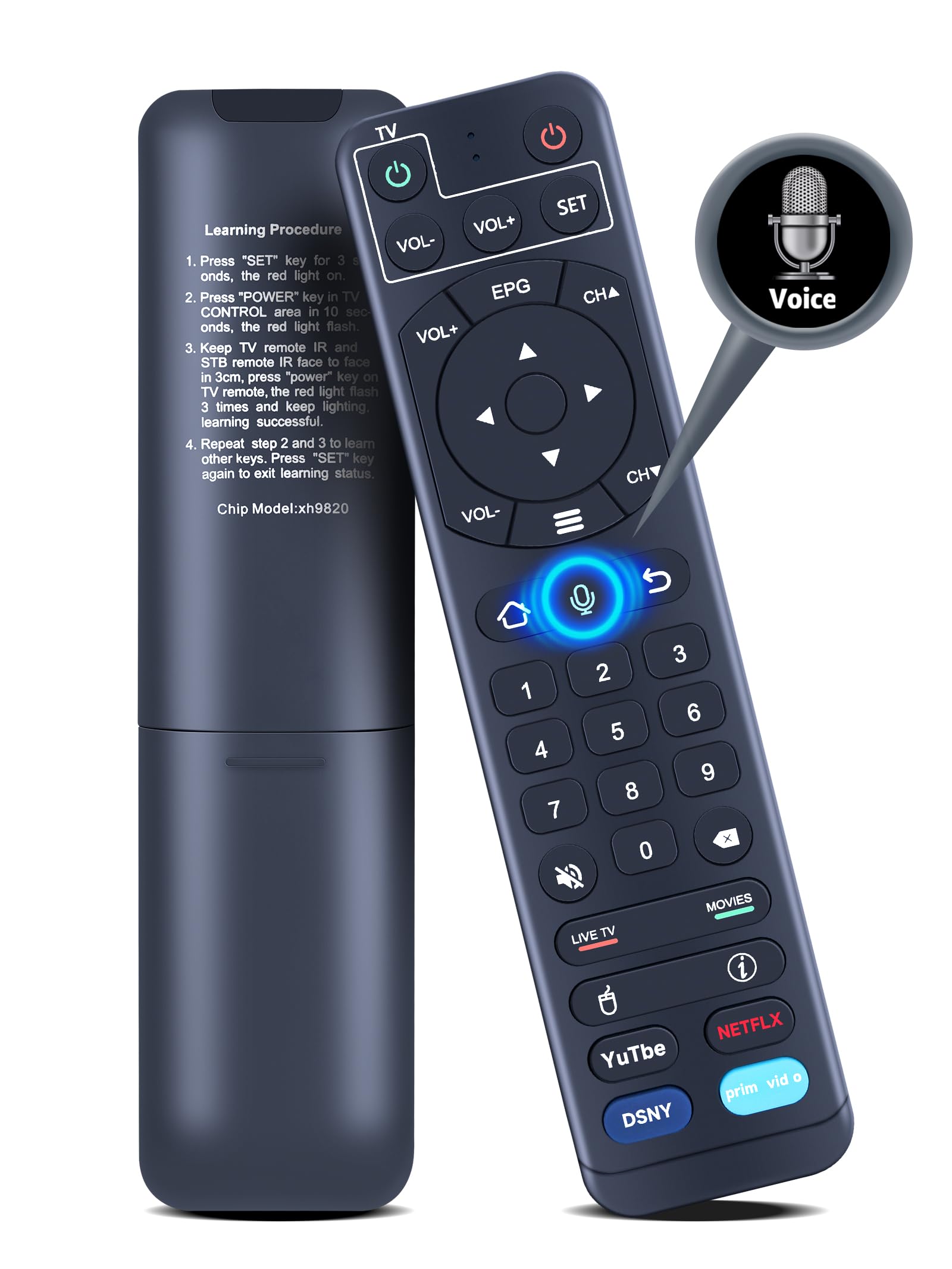
It is not an original or universal remote control, please make sure your model matches before placing an order. This remote compatible with V1 Pro, V1 Max but no voice Compatibility: Replacement voice remote control Compatible with vSee box V2 Pro, Elite. Compatible with vSeeBox Elite, V1 Pro, V1 Max Voice Control: Enhance your multimedia interactions by seamlessly navigating and searching for content with voice command. If you want to use voice control, complete the pairing first. Hold both [OK] and [VOL-] buttons until the red light flashes on the remote indicator. It shows "Remote control connected successfully" when successfully paired Note: If remote cannot recognize any command and shows "No recognition result matched", We recommend disconnecting and re-pairing the remote to see if it works after pairing (If the remote is connected, it will show "vSeBox Remoter" connected in the paired devices section. Choose the "Paired device management" and unpair the "vSeBox Remoter" first). Learning Function: 1) Press [SET] key for 3 seconds, the red light on. 2) Press [Power] key in TV CONTROL area in 10 seconds, the red light flash. 3) Keep TV remote IR and STB remote IR face to face in 3cm, press [Power] key on TV remote, the red light flash 3 times and keep lighting, learning successful. 4) Repeat step 2 and 3 to learn other keys. Press [SET] key again to exit learning status
New Replacement Voice Remote Control for vSee box V2 Pro, for vSee box Elite, V1 Pro, V2 Pro, V1 Max
Power Supply: 2 x AAA Batteries (Batteries and Manual not included)
If any command cannot be recognized during the pairing process and “No matching recognition result” is displayed.
We would suggest the following way, to re-pairing the remote and see if it works after the pairing.
1st: Unpair
Home Screen settings (3rd row), System settings. If the remote is connected, it will show “vSeBox Remoter” connected in the paired devices section. Choose the “Paired device management” and unpair the “vSeBox Remoter” first.
2nd: Pair it again
Hit the “Voice command” button, it will pop out the Pairing screen to guide you in pairing the same. To pair the remote, hold both [OK] and [VOL-] buttons until the red light flashes on the remote indicator. It shows “Remote control connected successfully” when successfully paired.
Compatible with vSee box models:
for vSeebox V2 Pro
for vSeebox Elite
for vSeebox V1 Pro (No Voice Feature)
for vSeebox V1 Max (No Voice Feature)