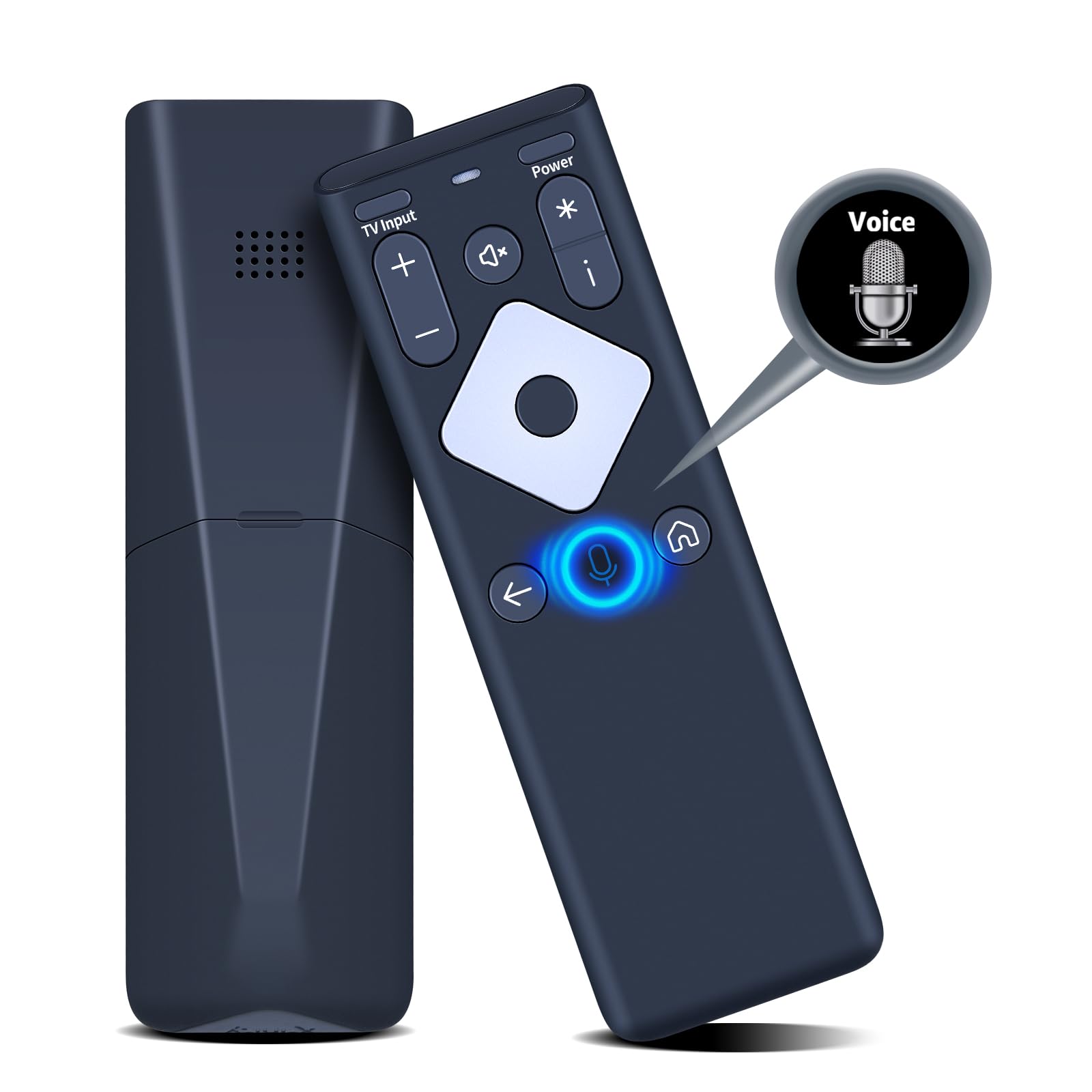
Compatibility: New replacement voice XR16 for Xfinity Comcast flex streaming TV box remote control, for Flex Streaming Device Only Intelligent Voice: Long press to complete pairing before using the voice function. The XR16 voice remote comes with voice buttons that allow you to use the voice function to find your program or launch an application, simplifying your operation. Pair Your TV Box: ① Point the remote at your TV Box and press the Voice button once. ② Follow the instructions on screen to pair your remote for voice control. ③ Once your remote is paired, follow the on-screen instructions to set up power, volume and input control for your TV. If you need to pair your TV or audio device, please refer to the product description Factory Reset: ① Simultaneously press and hold the [i] and the [Home] button until the status light on the remote blinks. This takes about 5 seconds. ② Press [Power], then Last [Return], then [Vol-] on your remote in sequence to complete the factory reset. Once this is complete you can retry pairing your XR16 remote. NOTE & After-sale Service: Package Includes: 1x XR16 remote control (No Voice Function). If your TV model is not on the compatible list, please tell me before ordering so we can check it for you.
PZL New Replacement Voice XR16 for Xfinity Comcast Flex Streaming TV Box Remote Control, for Flex Streaming Device Only
Package Included: 1x XR16 Voice Remote Control (2x AAA Batteries and Instructions are Not Included)
Pair a TV Box:
① Point the remote at your TV Box and press the Voice button once
② Follow the instructions on screen to pair your remote for voice control
③ Once your remote is paired, follow the on-screen instructions to set up power, volume and input control for your TV
Pair a TV or Audio Device:
① Set the TV to the correct input. Usually by pressing the input or source button on the TV remote
② Press and hold the Voice button and give the command "program remote"
③ Follow the instructions on screen to select your TV and audio devices for power, volume, and input control. Then verify the function of the button
Factory Reset:
① Simultaneously press and hold the [i] and the [Home] button until the status light on the remote blinks. This takes about 5 seconds
② Press [Power], then Last [Return], then [Vol-] on your remote in sequence to complete the factory reset. Once this is complete you can retry pairing your XR16 remote