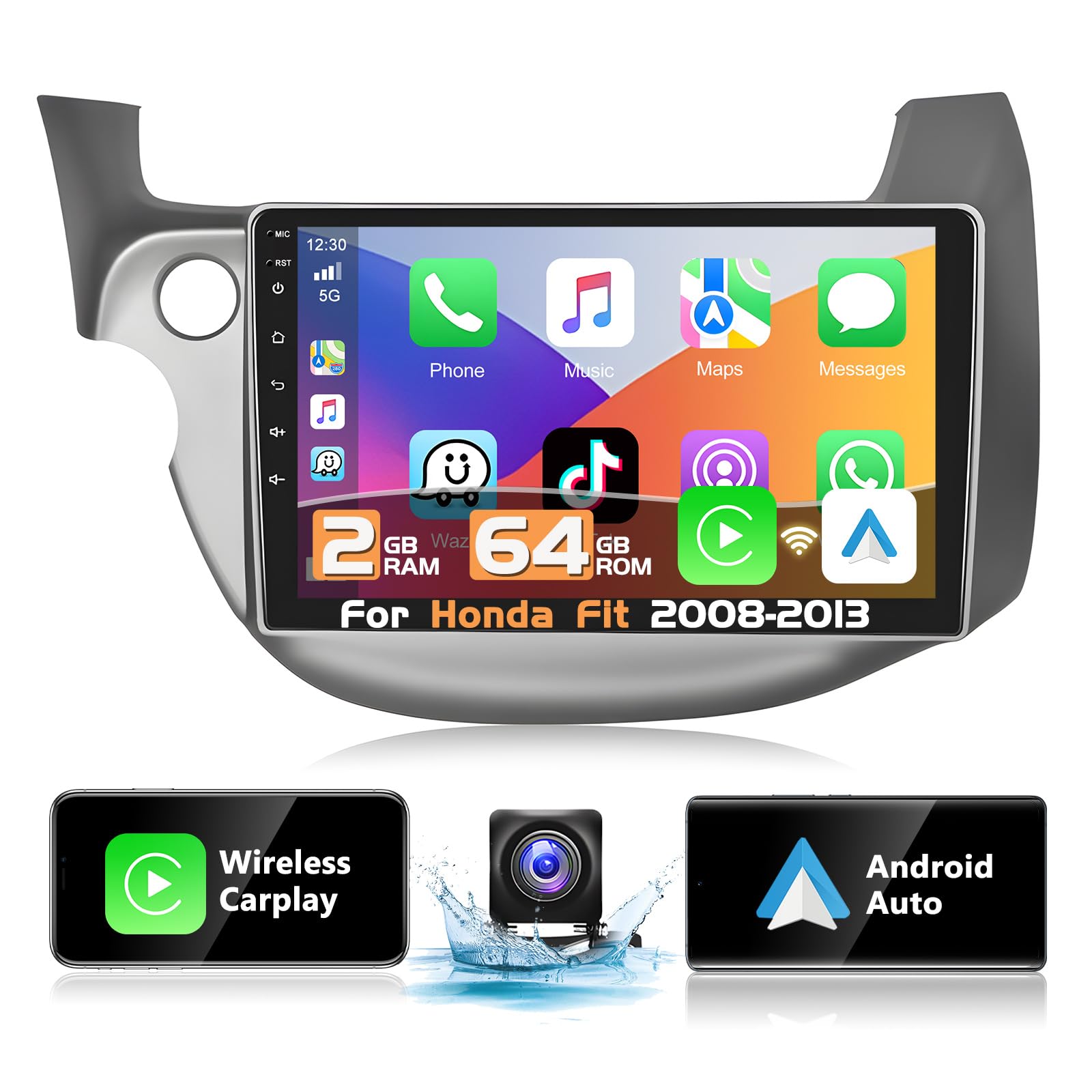



Podofo 2+64G Wireless Apple Carplay Android Auto Car Stereo for Honda Fit 2008-2013,10.1 Inch Car Radio Touchscreen with GPS/Bluetooth/WiFi/FM&RDS

$107.99
by Podofo

Shop Now
[Suitable for Honda Fit 2008-2013] Suitable for Honda Fit Jazz 2008 2009 2010 2011 2012 2013, the car audio uses the latest Android 13.0 system, 10.1-inch capacitive 2.5D high-definition touch screen, 4 cores and 2G+64G high memory, you can enjoy smooth and a responsive user experience. [Note: Please check the year, size and shape of your vehicle's center console before purchasing. If you are not sure, you can send the central control picture to us and we will process it within 24 hours. ] [Wireless Carplay & Wireless Android Auto] - Android in-dash car radio, compatible with wireless/wired CarPlay and wired Android Auto, synchronize mobile phone app to car stereo, execute voice commands, access mobile phone applications, address book, Internet, etc. [WIFI & GPS Navigation] For Honda Fit car audio system can be connected to WiFi or mobile hotspots for entertainment, such as Google Maps, YouTube, Tik Tok, etc. You can download offline navigation from the store and use it at any time. As long as it is connected to Wifi, Google Maps can be used perfectly. You can go wherever you want to go and never get lost again. [Bluetooth 4.2 & FM/RDS Radio]For Honda Fit car radio supports Bluetooth hands-free, musical instrument playback and automatic loading of phonebooks, in addition, there is EQ adjustment, you can tune in your favorite music mode.Support FM radio, there are 18 preset stations, allowing you to watch your favorite programs at any time. [AHD Reversing Camera & SWC ]This 2G+64G radio is equipped with an AHD high-definition camera, no matter it is day or night, or it is raining or foggy, you can clearly observe the road conditions. Support steering wheel learning, which allows you to easily make hands-free calls, switch music, etc. Let you enjoy the road without being distracted by trivial matters. [More Functions] - 16 Kinds of car EQ sound adjustment, support for subwoofer output, language switching, dual USB adapter input, Split screen function, support extended DAB+/OBD/DVR, background switching, etc. [Our Promise] - We are committed to always providing friendly and professional customer service, technical support! If you have any questions, please feel free! Podofo has a professional technical team will reply you within 24 hours!

Specifications:
System:Android 13
Chipset:8227L-DEMO
Screen size:10.1''
Memory:2GB (RAM)+64GB (ROM)
Screen resolution:1024*600
Radio chip:MT6625
Power output:4*45W
Work temperature:-20℃-75℃
Steering wheel control function:Support
Power amplifier chip:TDA7388
Radio Band:FM/RDS
Video output:Support
Reversing input: AHD/CVBS
External microphone: support
Split screen: support
Maps:Built-in offline maps(requires internet to download data)
WIFI:Support
USB:Double USB interface
Audio format:APE/FLAC/WAV/MP3/WMA etc
Video format:MKV/RMVB/AVI/MP4/MDV etc
Picture format:PNG/JPEG/JPG/GIF/WBMP/BNP etc
Factory setting keyword:8888
Language:Chinese/English/French/Italian/Korean/Japanese/Arabic/Spanish/Portuguese/Russian/Turkish/Vietnamese/Hebrew/Polish/German

Package Included:
1 x Car MP5 Player
1 x Power Cable
1 x GPS Antenna
1 x Rear Camera lnput Cable
1 x RCA Cable
2 x USB Cable
2 x Mounting Bracket
4 x Screw
1 x Instruction manual

Tips:
1.Why can't turn on the car radio ?
1.1Please check the Voltage of car radio:12V
1.2When you test this car radio,you can combine the red and yellow wires and connect them to the positive side of the power supply.Black line to negative power supply.
1.3Replace the same type of insurance to test the car radio.
Note: Please must use our power cables to connect our car radio,it is not possible to insert the original car plug directly into our machine.

2.Why the car radio will show "No Signal" when we reversing?
Please check if the camera's line is properly connected to the car radio.
Note:The video port of rear camera must insert the "CAMIN" port of car radio.

3.Why does the camera display "!" and "Can't watch video while driving" when I use USB to watch videos?
Please turn off the "Video Warning" function in the settings,then will be OK.

4.Why can't search FM?
4.1: No radio antenna inserted;
4.2: Please check if the radio antenna is plugged in. Please insert more antennas several times to make it well contacted;
4.3: The signal of your location is not good. Please go to a better place to test again
4.4: The radio antenna on the car is broken/no effect; please replace the radio antenna and test again.

5.Why can't connect the Bluetooth of car radio?
5.1 Open the phone settings interface, open the Bluetooth in the Bluetooth function, search for Bluetooth devices, find the player's Bluetooth model to be paired; if you need a pairing code, enter 0000; if not, try 1234 or 123456.
5.2 Please try to use another mobile phone to test this fu

Customer Reviews

No ratings. Be the first to rate

 customer ratings


How are ratings calculated?
To calculate the overall star rating and percentage breakdown by star, we don’t use a simple average. Instead, our system considers things like how recent a review is and if the reviewer bought the item on Amazon. It also analyzes reviews to verify trustworthiness.

Review This Product

Share your thoughts with other customers