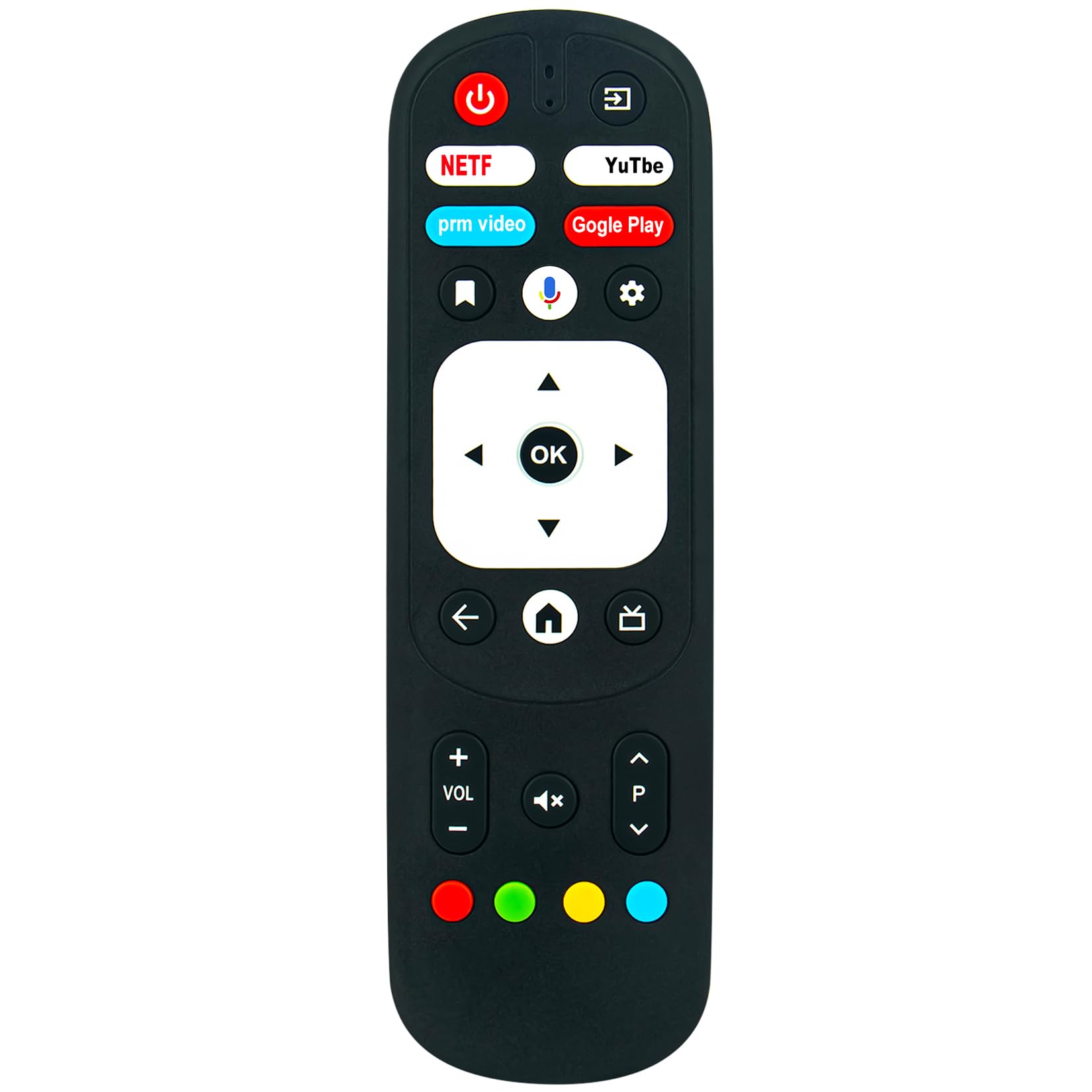



New RM-C3287 Voice Replacement Remote Control Applicable for JVC Smart Android TV Pairing required. Please pair this remote with your TV before use. Pairing a New Remote: Press "POWER" button to turn on the TV. Press and hold "BACK" and "Vol-" buttons at the same time for 3-5 seconds, the indicator light flashes and enters the pairing status, after the pairing is successful, the indicator light will go out. Connect New Remote with a Paired Remote: Press "Home" button, then select SETTING-Remote & Accessories; Select add accessory then press "OK" button to confirm pairing; Press and hold "BACK" and "Vol-" buttons at the same time for 3-5 seconds, the indicator light flashes and enters the pairing status, after the pairing is successful, the indicator light will go out. Power Supply: 2X 1.5V AAA Alkaline Battery. Batteries and manual are not included. New RM-C3287 Voice Replacement Remote Control Applicable for JVC Smart Android TV
Pairing required. Please pair this remote with your TV before use.
Pairing a New Remote:
Press "POWER" button to turn on the TV. Press and hold "BACK" and "Vol-" buttons at the same time for 3-5 seconds, the indicator light flashes and enters the pairing status, after the pairing is successful, the indicator light will go out.
Connect New Remote with a Paired Remote:
1. Press "Home" button, then select SETTING-Remote & Accessories.
2. Select add accessory then press "OK" button to confirm pairing.
3. Press and hold "BACK" and "Vol-" buttons at the same time for 3-5 seconds, the indicator light flashes and enters the pairing status, after the pairing is successful, the indicator light will go out.
Power Supply: 2X 1.5V AAA Alkaline Battery
Package Content:
1X Remote Control
Pairing required. Please pair this remote with your TV before use.
Pairing a New Remote:
Press "POWER" button to turn on the TV. Press and hold "BACK" and "Vol-" buttons at the same time for 3-5 seconds, the indicator light flashes and enters the pairing status, after the pairing is successful, the indicator light will go out.
Connect New Remote with a Paired Remote:
1. Press "Home" button, then select SETTING-Remote & Accessories.
2. Select add accessory then press "OK" button to confirm pairing.
3. Press and hold "BACK" and "Vol-" buttons at the same time for 3-5 seconds, the indicator light flashes and enters the pairing status, after the pairing is successful, the indicator light will go out.
Power Supply: 2X 1.5V AAA Alkaline Battery
Package Content:
1X Remote Control