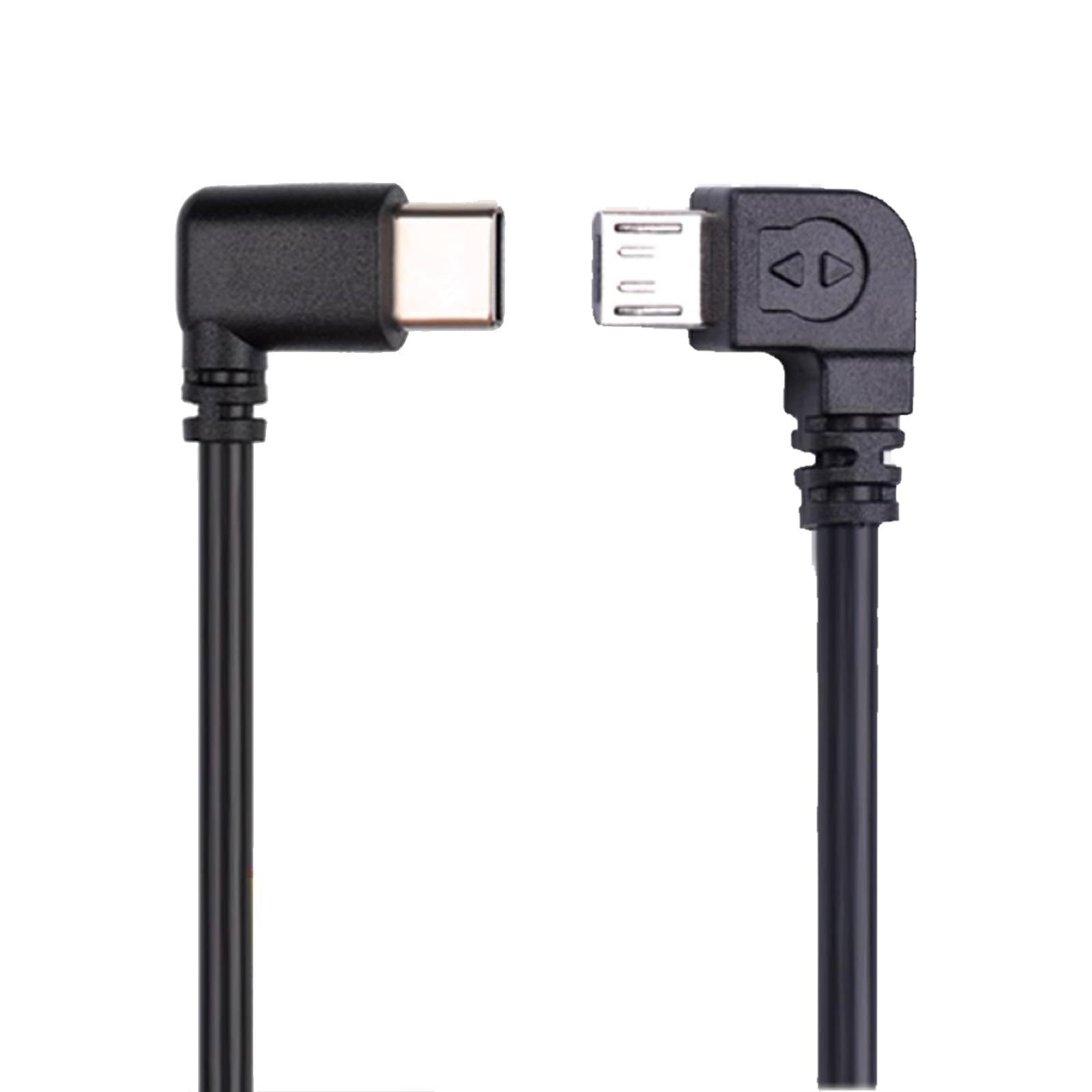



【Connect Gimbal Stabilizer to Camera】Connect your DJI RS4 Pro, RS4, RS3 Pro, RS3, RS3 Mini, RSC2, RS2 stabilizer to your camera camcorder (Please DO NOT use the cable for other gimbal and devices for other purpose) and avoid shaking in order to record during the moving moment. (MUST verify functional compatibility per paired model in chart images—even if both devices are listed.) 【COMPATIBILITY】Compatible with SONY CANON NIKON Panasonic Fujifilm. (Not every camera model is compatible with all listed DJI stabilizer. Please DO refer to the detailed compatibility result list pictures.) 【Multi controll Functions】Support Functions: Shoot/Capture photo, Start/stop recording video, Trigger auto focus, Pull focus electronically, Aperture, Shutter, ISO, Ronin Image Transmitter (Compatibility varies by model pair. Always verify support using our compatibility chart images before purchase) 【Length and OD】3.5mm OD and 30cm = 12 inch length, the best length for most stabilizers and cameras. 【Material】High quality durable PVC material. USB Type-c to Micro control line Cable, connect your DJI Ronin RSC2 RS2 RS3 RS3 pro RS3 Mini RS 4 RS4 Pro RS4 Mini stabilizer and compatible with SONY CANON NIKON Panasonic Fujifilm Camera
Introduction:
It connects the camera control port of Ronin stabilizer to the Micro port on cameras to control the camera.
It enables Ronin stabilizer to control cameras to Capture photo / Start/Stop recording video / Trigger auto focus / Zoom control( Digital or Optical) / RavenEye / Ronin Image Transmitter
*Note: The functions depends on the camera and stabilizer, not the cables. Please check the Detail Compatibility Result from the pictures. Compatibility results may have slight differences from actual outcomes. Please refer to the actual situation for accuracy.
*Note: All data is sourced from the official DJI website.
*Note: To apply these compatible features, please upgrade the camera firmware to the latest version whenever possible.
Compatibility:
Compatible with DJI Stabilizer models:Ronin RSC2 / RS2 / RS3 / RS3 pro / RS3 Mini / RS4 / RS4 pro / RS4 Mini. (Not every stabilizer model is compatible with all listed cameras, please DO refer to the detailed compatibility result list pictures.)
(Not every camera model is compatible with all listed DJI stabilizer. Please DO refer to the detailed compatibility result list pictures.)
Compatible with Sony cameras: A6000 A6100 A6300 A6400 A6500 A6600 A7M2 A7R2 A9 RX100vii ZV-1/ZV-1 II
Compatible with CANON cameras: 200D2 5D4 5DSR 7D2 850D 90D M50 M50ii 1DX2
Compatible with NIKON cameras: D5 D500 D850 Z50
Compatible with Panasonic cameras: G9
Compatible with Fujifilm cameras: XH1 XT2
and more (refer to the model list from your Stabilizer user manual)…
Compatibility Result Functions:
Material: PVC
Total Length: Approx: 12 inch (30cm)
Connectors: USB Type-C (Stailizer) to Micro (Camera)
Package Included:
1 X Control Cable (Note: The stabilizer not included)
TIPs:
To ensure the gimbal can detect the camera successfully once the camera control cable is connected, turn on Stabilizer first, then camera. Make sure you have selected the correct Camera Model list in your stabilizer setting. After connecting you gimbal and camera with the control cable, it is necessary to restart the gimbal before swapping to another cable.
Attentions:
Introduction:
It connects the camera control port of Ronin stabilizer to the Micro port on cameras to control the camera.
It enables Ronin stabilizer to control cameras to Capture photo / Start/Stop recording video / Trigger auto focus / Zoom control( Digital or Optical) / RavenEye / Ronin Image Transmitter
*Note: The functions depends on the camera and stabilizer, not the cables. Please check the Detail Compatibility Result from the pictures. Compatibility results may have slight differences from actual outcomes. Please refer to the actual situation for accuracy.
*Note: All data is sourced from the official DJI website.
*Note: To apply these compatible features, please upgrade the camera firmware to the latest version whenever possible.
Compatibility:
Compatible with DJI Stabilizer models:Ronin RSC2 / RS2 / RS3 / RS3 pro / RS3 Mini / RS4 / RS4 pro / RS4 Mini. (Not every stabilizer model is compatible with all listed cameras, please DO refer to the detailed compatibility result list pictures.)
(Not every camera model is compatible with all listed DJI stabilizer. Please DO refer to the detailed compatibility result list pictures.)
Compatible with Sony cameras: A6000 A6100 A6300 A6400 A6500 A6600 A7M2 A7R2 A9 RX100vii ZV-1/ZV-1 II
Compatible with CANON cameras: 200D2 5D4 5DSR 7D2 850D 90D M50 M50ii 1DX2
Compatible with NIKON cameras: D5 D500 D850 Z50
Compatible with Panasonic cameras: G9
Compatible with Fujifilm cameras: XH1 XT2
and more (refer to the model list from your Stabilizer user manual)…
Compatibility Result Functions:
- Video functions: Start/Pause
- Photo functions: Aperture, Shutter, ISO
- Capture photo
- Start/stop recording video
- Trigger auto focus
- Pull focus electronically
- Aperture
- Shutter
- ISO
- Ronin Image Transmitter
Material: PVC
Total Length: Approx: 12 inch (30cm)
Connectors: USB Type-C (Stailizer) to Micro (Camera)
Package Included:
1 X Control Cable (Note: The stabilizer not included)
TIPs:
Attentions:
- Please check your camera port first. This cable is USB C Type C to Micro USB and only work for DJI RS4 Pro, RS4, RS3 Pro, RS3, RS3 Mini, RSC2, RS2 gimbal. (Please DO NOT use the cable for other Gimbals and for other purpose.)
- If any problem for connecting the gimbal and camera, please contact us.
- The optical zoom can be controlled if the lens used supports Power Zoom. Otherwise, only digital zoom can be controlled. The setup process is as follows: Select Menu, Settings, Zoom Settings, and Digital Zoom.
- If you can't set your Gimbal Stabilizer or Cameras for the above functions, please write us a message and we will help that in 24 hours.
- When using HDMI (e.g., with a monitor or Ronin Image Transmitter), playback will only display on the external screen—the camera's built-in display will remain blank.