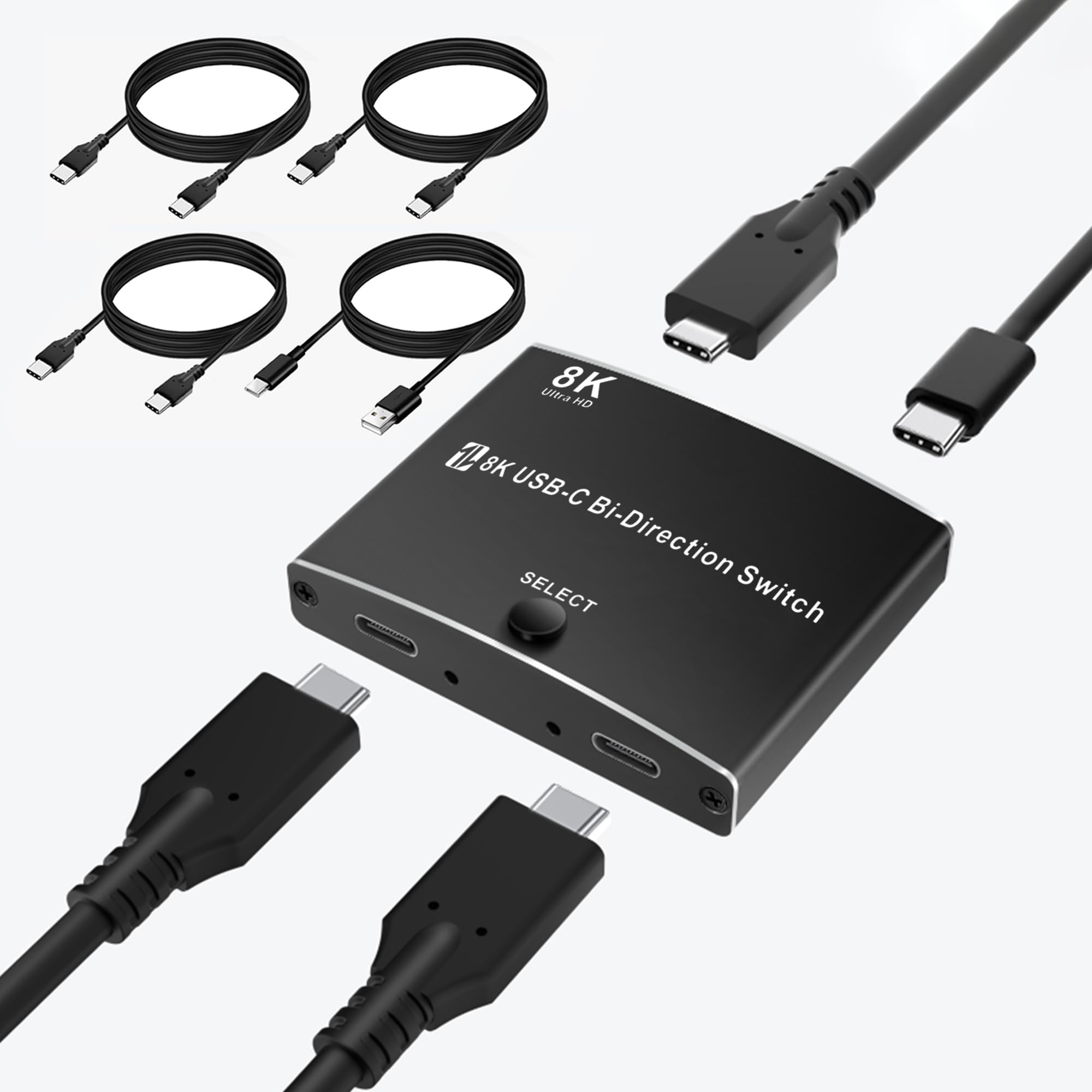



[Bidirectional USB C KVM Switch – 2 Devices Share 1 Display or Vice Versa] This USB C KVM switch supports two input devices (with Thunderbolt 3/4 ports) sharing one display, or one input device switching between two USB C displays (only one active at a time). Compatible with laptops, tablets, smartphones, and handheld gaming consoles. Supports plug-and-play on Windows, macOS, Linux, iOS, Android, and Chrome OS—no drivers required. [Detachable USB C Design + 3x 40Gbps Cables Included] Unlike traditional switches, this USB C switch features detachable cable design—no fixed cords, giving you flexibility in setup. Comes with three high-speed 40Gbps USB C cables (3.3ft each), saving you the hassle of finding compatible ones. For best performance, use certified cables under 10ft to support 8K@60Hz or 4K@120Hz video. [Blazing-Fast 40Gbps Bandwidth – Boost Productivity] Equipped with up to 40Gbps transmission bandwidth, this USB C switch supports simultaneous transfer of 8K@60Hz video and 10Gbps data—perfect for large file transfers, high-speed backups, and real-time video editing. Say goodbye to waiting, and hello to efficient multitasking. [Crystal-Clear 8K@60Hz / Ultra-Smooth 4K@120Hz Output] Whether you're editing videos, designing in CAD, or immersed in high-frame-rate gaming, this USB C switch delivers outstanding visual clarity and performance. Enjoy ultra-high-definition resolutions up to 8K@60Hz or buttery-smooth 4K@120Hz for professional and entertainment needs. 【One-Click Switching with LED Indicators + Power Support】 Switch between connected devices with a single button press. LED lights clearly indicate the active channel, ensuring you always know what’s in use. Important: Please connect to external power for stable operation. What’s in the box: USB-C KVM Switch x1, 40Gbps USB-C Cable x3 (3.3ft/1m), Power Cable x1, Quick Start Guide x1. Product Overview This USB C switcher allows you to switch between two devices (such as laptops, tablets, smartphones, etc.) and one display, or connect one device to two displays (with only one active at a time). It supports up to 8K@60Hz or 4K@120Hz video resolution and 10Gbps data transfer speed. It is compatible with various operating systems, including Windows, Mac OS, Linux, iOS, Android, and Chrome Installation Steps for 2 IN 1 OUT Mode 1. Connect Input Devices - Using the included 40Gbps USB-C cables, connect your input devices (such as laptops, tablets, or smartphones) to the switcher's input ports . - Ensure your input devices support Thunderbolt 3 or Thunderbolt 4 interfaces. 2. Connect Display - Using another included 40Gbps USB-C cable, connect your display to the switcher's output port . - The display must support a USB-C interface. 3. Connect Power - Use the included power cable to connect the switcher to an external power source. Ensure the switcher is always connected to power during use to function properly. 4. Power On and Use - Ensure all devices are correctly connected and powered on. - Press the button on the switcher to switch between the two input devices. The LED indicator will show which device is currently active. Operating Instructions - Switching Devices: Press the button on the switcher to toggle between "Input 1" and "Input 2". - Status Indicator: The LED indicator shows the currently active input device, ensuring it is functioning correctly. - High-Resolution Output: For the best image quality and data transfer speed, use the included 40Gbps USB-C cables and avoid using cables longer than 10 feet. Notes - Connection Order: It is recommended to connect all devices and power before turning on the input devices and display. - Cable Length: Using the included 3.3ft cables ensures optimal performance for 8K@60Hz or 4K@120Hz transmissions. If replacing cables, choose high-quality cables no longer than 10 feet. - External Power: The switcher requires an external power source to operate all functions properly. Installation Steps for 1 IN 2 OUT Mode 1. Connect Input Device - Use one of the included 40Gbps USB-C cables to connect your input device (such as a laptop, tablet, or smartphone) to the switcher's input port . 2. Connect Displays - Using the other two included 40Gbps USB-C cables, connect your displays to the switcher's output ports. - Ensure that both displays support USB-C interfaces. 3. Connect Power - Use the included power cable to connect the switcher to an external power source. This ensures the switcher operates correctly. 4. Power On and Use - Ensure all devices are properly connected and powered on. - Press the button on the switcher to switch between the two output displays. The LED indicator will show which display is currently active. Operating Instructions - Switching Displays: Press the button on the switcher to toggle between "Output 1" and "Output 2".