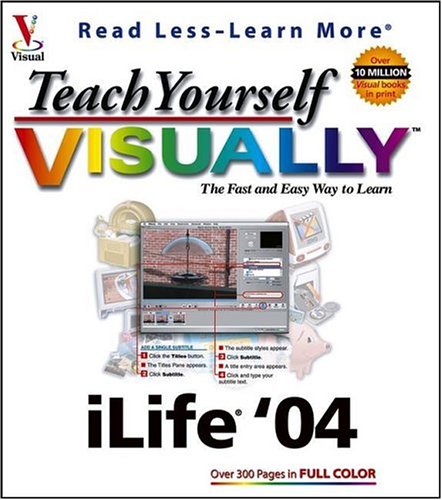
Teach Yourself Visually Ilife '04: The Fast and Easy Way to Learn
$42.86
by Michael E. Cohen



Are you a visual learner? Do you prefer instructions that show you how to do something - and skip the long-winded explanations? If so, then this book is for you. Open it up and you'll find clear, step-by-step screen shots that show you how to tackle more than 150 iTunes, iPhoto¢, iMovie, iDVD¢, and GarageBand¢ tasks, from ripping songs and shopping at the iTunes music store to retouching photos, cropping video clips, building movie menu buttons, and creating real or software instrument tracks in GarageBand. "What fantastic teaching books you have produced! Congratulations to you and your staff." - Bruno Tonon (Melbourne, Australia) "Like a lot of other people, I understand things best when I see them visually. Your books really make learning easy and life more fun." - John T. Frey (Cadillac, MI) With some twenty-five years of IT and multimedia development experience, as well as a number of publications, under my belt, I thought that writing a step-by-step guide to Apple's iLife programs would be a walk in the park. After all, the Teach Yourself VISUALLY books look deceptively simple: just a bunch of screen-shots and step-by-step instructions. How hard could knocking one of those out be? As it turns out, it's quite hard -- if you want to produce a high-quality, consistent, and attractive product. I quickly found out that the Teach Yourself VISUALLY editors and artists are (almost insanely) committed to just that. Their editorial standards are strict: I often found the instructions I wrote, which I thought to be models of clarity and conciseness, turned back to me extensively reworked, tightened, and tweaked. And their artistic standards are equally high: the artwork produced by the Teach Yourself VISUALLY team repeatedly knocked my eyes to the back of my skull. Although my brother and I get cover credit as the book's authors, it is clear to me that we were only one small part of a talented, dedicated, and accomplished group of people who know how to make top-notch computer books and I feel extremely fortunate to have worked with them. And the book itself: well, if I hadn't written this book, I would certainly want to buy it. --Michael E. Cohen, co-author, Teach Yourself VISUALLY iLife '04 Are you a visual learner? Do you prefer instructions that show you how to do something -- and skip the long-winded explanations? If so, then this book is for you. Open it up and youll find clear, step-by-step screen shots that show you how to tackle more than 150 iTunes®, iPhoto™, iMovie®, iDVD™, and GarageBand™ tasks, from ripping songs and shopping at the iTunes music store to retouching photos, cropping video clips, building movie menu buttons, and creating real or software instrument tracks in GarageBand. "What fantastic teaching books you have produced! Congratulations to you and your staff." -- Bruno Tonon (Melbourne, Australia) "Like a lot of other people, I understand things best when I see them visually. Your books really make learning easy and life more fun." -- John T. Frey (Cadillac, MI) Michael E. Cohen has been straddling the Great Divide between the humanities and the sciences for almost thirty years. He is a pioneer developer of instructional writing software and electronic books, a co-founder of a major university’s humanities computing center, and a three-time contributing editor to the Macintosh Bible . He lives in Santa Monica, CA, with his wife, Lisa, and a closet full of delightfully obsolete computers and peripherals. Dennis R. Cohen is the author, or co-author of, the iLife Bible , Mac Digital Photography , and a half-dozen other titles, as well as a contributor to, or the technical editor of, a wide variety of other Macintosh and cross-platform books. As a software developer of over 20 years, and a Mac developer since Mac’s release in 1984, Dennis has vast experience not only with the Mac, but also with other platforms, including Unix. He lives in Sunnyvale, CA, with his Boston Terrier, Spenser.