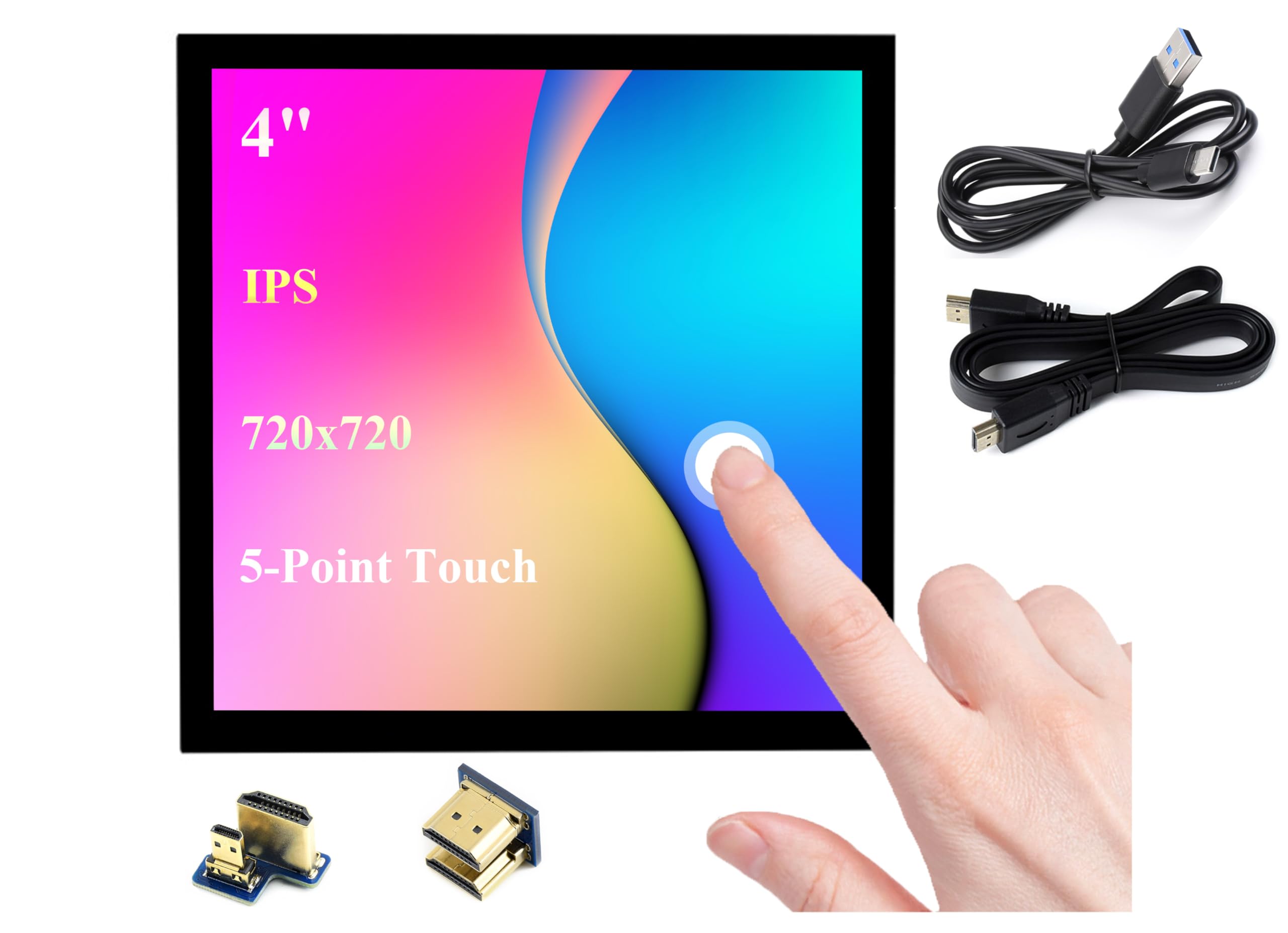



4inch HDMI LCD IPS screen, hardware resolution is 720 x 720. 5-point capacitive touch, toughened glass panel, hardness up to 6H. Compatible with Raspberry Pi 5/4B/3B+/3B/2B/Zero/Zero W//Zero 2W/Jetson Nano/ Windows 11/10/8.1/8/7, etc. When working with RPi, it supports RPi OS / Ubuntu / Kali and Retropie. No Driver required for USB-C touch. Config file is required for I2C touch. When working with Jetson Nano, it supports Ubuntu. 1) Switch the touch interface selector switch to "USB". 2) Connect the Power&Touch interface of the LCD to the USB interface of the Jetson Nano. 3) Connect the Display port of the LCD to the HDMI port of the Jetson Nano. When working with PC, it supports Windows 11 / 10 / 8.1 / 8 / 7. for Jetson Nano and PC, only USB-C touch is available. Onboard dual touch circuit, optional USB Type-C or I2C touch, it has more application scenarios. With 3.5mm audio and speaker interface, it supports HDMI audio output. Comes with Online Development Resources /User Manual, please follow here: bit.ly/3DjvHAX 4inch HDMI LCD IPS screen, hardware resolution is 720 x 720. 5-point capacitive touch, toughened glass panel, hardness up to 6H. Compatible with Raspberry Pi 5/4B/3B+/3B/2B/Zero/Zero W//Zero 2W/Jetson Nano/ Windows 11/10/8.1/8/7, etc.
1. When working Compatible with Raspberry Pi
1. Set the touch switch on the back of the screen to "I2C".
2. Fix the RPi to the screen through the copper posts, and pay attention to aligning the position of the ejector pins.
3. Connect the HDMI port of the RPi to the LCD.
Note: Pi Zero / Zero 2 W needs an additional HDMI cable for connection.
2. When working with with Jetson Nano
1) Switch the touch interface selector switch to "USB".
2) Connect the Power&Touch interface of the LCD to the USB interface of the Jetson Nano.
3) Connect the Display port of the LCD to the HDMI port of the Jetson Nano.
3. When working with PC
The LCD can work on PC version Windows 11 /10 / 8.1 / 8 / 7 system.
Instructions:
1) Switch the touch interface selector switch to "USB".
2) Connect the Power&Touch interface of the LCD to the USB interface of the PC.
3) Connect the Display port of the LCD to the HDMI port of the PC.
Package Content
4inch HDMI LCD (C) x1
HDMI Adapter (C) x1
HDMI Adapter (B) x1
HDMI cable x1
USB-A to USB-C cable x1
Screws pack x1
1. When working Compatible with Raspberry Pi
1. Set the touch switch on the back of the screen to "I2C".
2. Fix the RPi to the screen through the copper posts, and pay attention to aligning the position of the ejector pins.
3. Connect the HDMI port of the RPi to the LCD.
Note: Pi Zero / Zero 2 W needs an additional HDMI cable for connection.
2. When working with with Jetson Nano
1) Switch the touch interface selector switch to "USB".
2) Connect the Power&Touch interface of the LCD to the USB interface of the Jetson Nano.
3) Connect the Display port of the LCD to the HDMI port of the Jetson Nano.
3. When working with PC
The LCD can work on PC version Windows 11 /10 / 8.1 / 8 / 7 system.
Instructions:
1) Switch the touch interface selector switch to "USB".
2) Connect the Power&Touch interface of the LCD to the USB interface of the PC.
3) Connect the Display port of the LCD to the HDMI port of the PC.
Package Content
4inch HDMI LCD (C) x1
HDMI Adapter (C) x1
HDMI Adapter (B) x1
HDMI cable x1
USB-A to USB-C cable x1
Screws pack x1