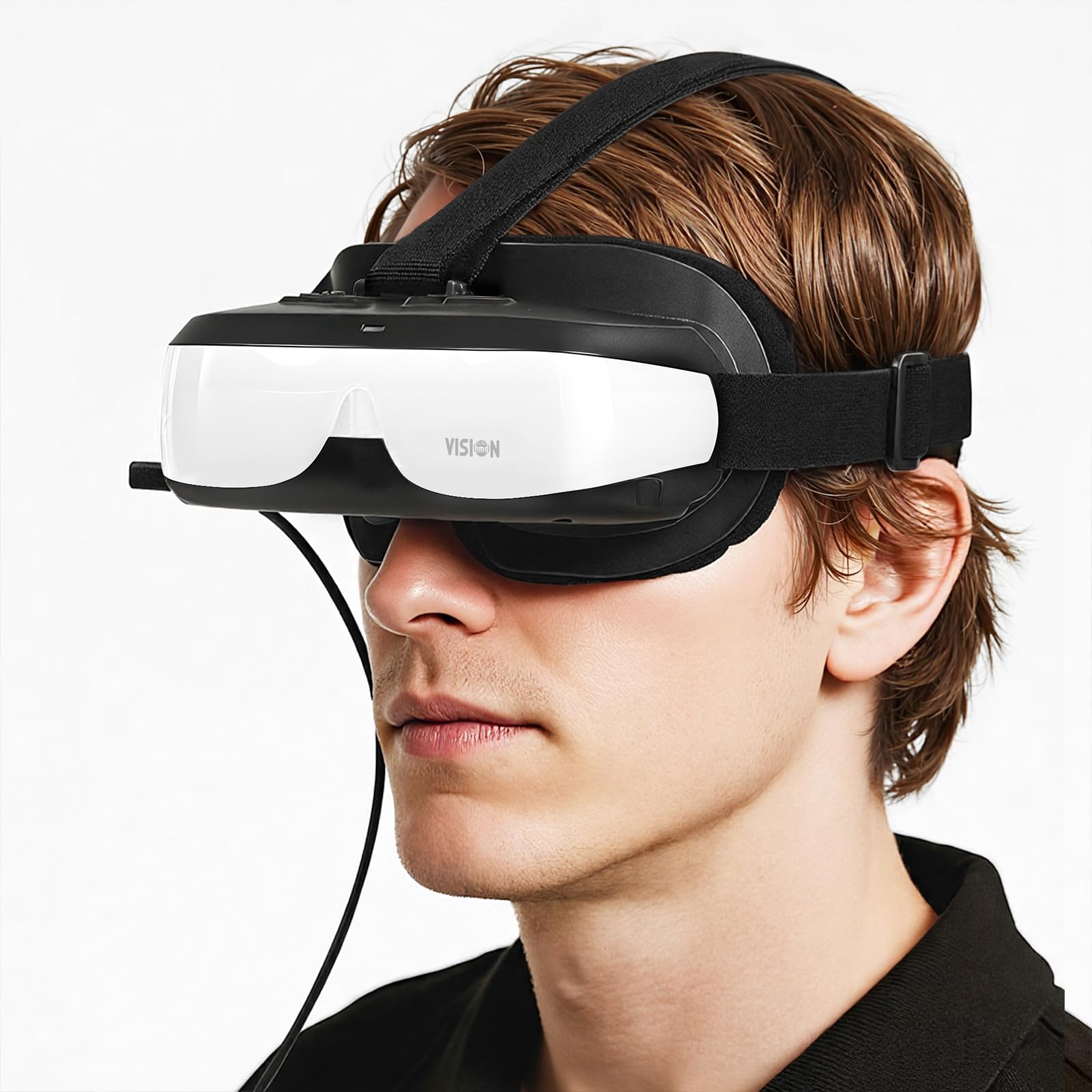



【Large-Screen Theater, Superior Video Experience】- These are NOT VR goggles.It's just a 2D Display,Monitor,Personal Cinema,HMD. You can comfortably watch movies on a private 120-inch large screen.Simply turn on the power switch and plug the HDMI cable into the device’s HDMI port—then you can watch movies, videos, and play games with the immersive visual experience of a high-definition home theater.Equipped with a built-in rechargeable battery, it can be used anytime, anywhere—whether you’re at home, traveling, outdoors, or even lounging in bed—delivering up to 3 hours of continuous video playback. 【Plug&Play】- Bigeyes H3 is compatible with HDMI-output display devices, requiring no installation of any drivers or applications. Examples include DVD players, set-top boxes, TV sticks, Apple TV, PCs, and game consoles such as PS5, PS4, Xbx, and Switch. If you connect it to a Switch, please use the TV mode with the original dock or an alternative Type-C adapter. In both cases, you must plug in the original Switch charger. Please refer to the user manual included with the product. 【The Best Partner for Apple Devices】- This device is also compatible with Apple iPhones or iPads. *For older Lightning-enabled devices such as iPhone 14/13/12 series, please use Apple’s Digital AV Adapter and connect it directly via an HDMI cable. *For USB-C port devices like iPhone 17/16/15 or iPad Air, you can either use the Apple USB-C Digital AV Adapter to convert the signal to HDMI, or opt for our USB-C to HDMI Adapter by searching the ASIN B0FV8DFQYJ. 【Works with All Kinds of Devices】- If your device features a Type-C output — such as the Switch,Steam Deck,ROG Ally, Android phones, Samsung Galaxy series, Google Pixel phones or tablets, and laptops that support Type-C video output — please select a USB-C to HDMI Adapter. By converting the video signal to HDMI, you can watch movies or play games on this HMD. We also offer a dedicated USB-C to HDMI Adapter, which is compatible with Switch 2, simply search for the ASIN B0FV8DFQYJ. 【User-Friendly Design】- Adjustable interpupillary distance & supports 0–5.0 D myopia adjustment. Compact, lightweight design for all-day comfort. Dual independent HD 720p (1280×720) LCD displays for each eye. Crystal-clear visuals with zero edge blurring. HDCP compatible, supporting 720p/1080i/1080p video input. This is exactly the $150 you would expect in 2025 ! 【Please Note!】When the Bigeyes H3 fail to display Samsung DeX, please follow the steps below to configure. First of all, the Samsung phone is connected to the Bigeyes H3 via a Type-C to HDMI adapter, and then turn H3 on. Then enter the phone's settings mode. First Step: Tap on the "Connected devices" option. Second Step: Tap on the "Samsung Dex" option. Third Step: Tap on the "Connected display" option. Fourth Step: Tap on the "Mirrored" option. The final step:Disconnect the Type-C to HDMI adapter from the phone, then plug it back in. It is OK. 【Please Note!】If there is still no signal after multiple connections to the same device with HDMI output, use a paperclip to press the reset button, restart the headset, and then press the power button again. VISIONHMD BIGEYES H3 are head-mounted video glasses, NOT VR
Good to watch 2D video with a virtual 600-inch screen at 15m away.
BUT NOT IDEAL for TEXT, OFFICE WORKING, or CAD DRAWING
1.Private use
2.watch wherever
3.2.5K Equivalent Display - each eye equipped one HD720p(1280 x 720) 584PPI LCD Display
4.HDMI input, easy connect to DVD player, Apple TV, Chromecast, Switch, PS&Xbx consoles, PC, iphone/ipad(Apple Lightning Digital AV Adapter required, and NOT included)
6.Fixed on your head by flexible headband with sponge lining. Compact, lightweight, and fully adjustable for a comfort wearing
7.Video & Audio Input - HDMI, HDCP compatible, support 720p, 1080p video
8.Audio Output - 3.5 mm earphone jack.
9.Built-in battery for 2.5 hours of use, charging via USB port; power source (5 Volt DC) can be a USB port on PC, smart phone charger, also compatible with most power banks.
10.Adjustable pupil distance, and 0~500 degrees Myopic adjustment.
11.Does not fit over glasses.
Safety Guide
1. DO NOT use the product when you are tired/ sick or you have eyestrain. Stop using if you experience any discomfort or fatigue.
2. If you have concerns with your eyes, please consult your doctor before you decide to buy this item.
3. DO NOT allow children under the age of thirteen to use the product.
4. Over use may negatively impact your eye vision, resting for 10 minutes after every 30 minutes of using is advised.
Good to watch 2D video with a virtual 600-inch screen at 15m away.
BUT NOT IDEAL for TEXT, OFFICE WORKING, or CAD DRAWING
1.Private use
2.watch wherever
3.2.5K Equivalent Display - each eye equipped one HD720p(1280 x 720) 584PPI LCD Display
4.HDMI input, easy connect to DVD player, Apple TV, Chromecast, Switch, PS&Xbx consoles, PC, iphone/ipad(Apple Lightning Digital AV Adapter required, and NOT included)
6.Fixed on your head by flexible headband with sponge lining. Compact, lightweight, and fully adjustable for a comfort wearing
7.Video & Audio Input - HDMI, HDCP compatible, support 720p, 1080p video
8.Audio Output - 3.5 mm earphone jack.
9.Built-in battery for 2.5 hours of use, charging via USB port; power source (5 Volt DC) can be a USB port on PC, smart phone charger, also compatible with most power banks.
10.Adjustable pupil distance, and 0~500 degrees Myopic adjustment.
11.Does not fit over glasses.
Safety Guide
1. DO NOT use the product when you are tired/ sick or you have eyestrain. Stop using if you experience any discomfort or fatigue.
2. If you have concerns with your eyes, please consult your doctor before you decide to buy this item.
3. DO NOT allow children under the age of thirteen to use the product.
4. Over use may negatively impact your eye vision, resting for 10 minutes after every 30 minutes of using is advised.