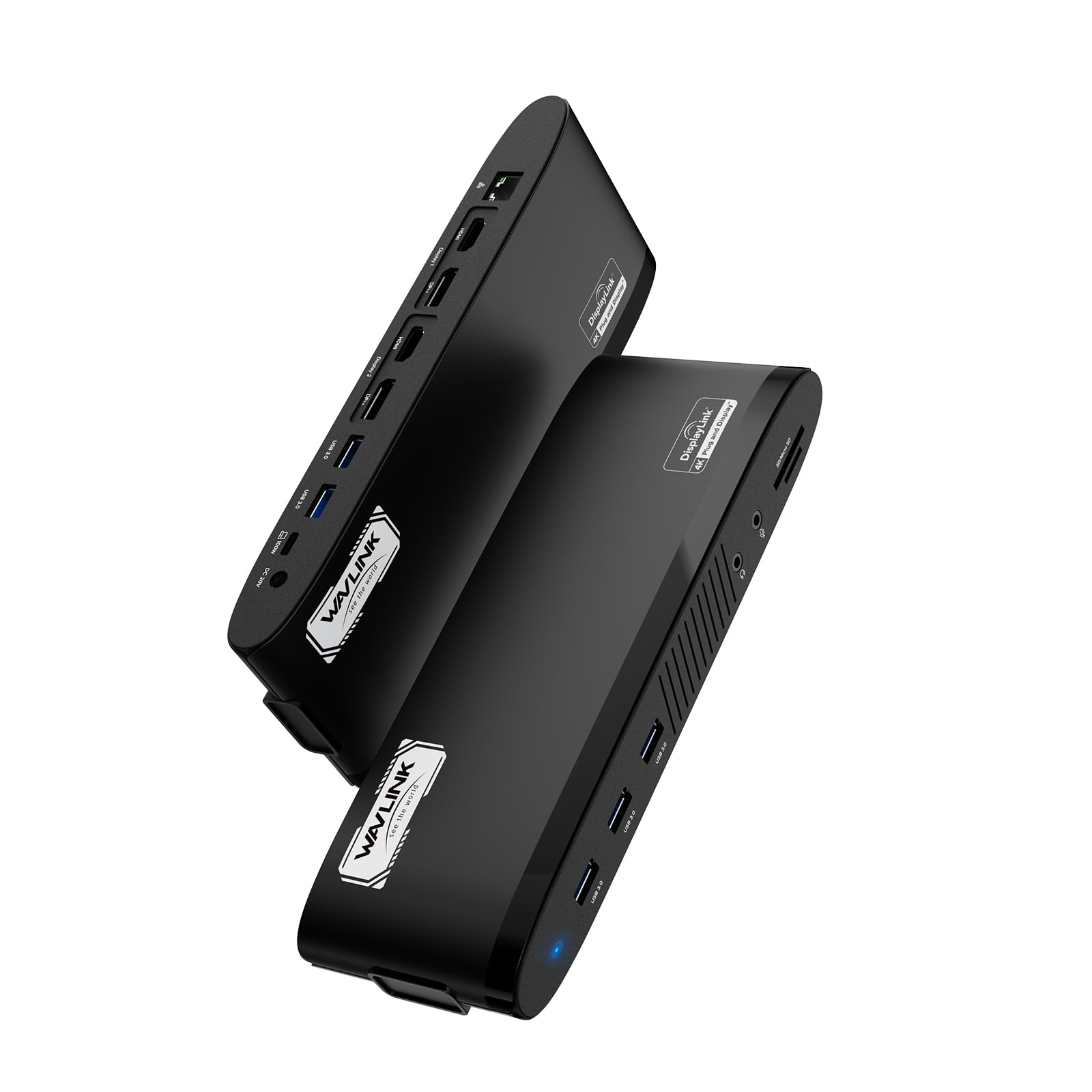



WAVLINK DisplayLink Docking Station Dual 5K
Empower Your Workspace with Seamless Connectivity and Rapid PD 100W Upstream Charging!
Compatible Systems: Windows 10/11, Mac OS 11.x-15.x and latest, Chrome OS, Ubuntu, Android, HarmonyOS.
How to download and install the latest DisplayLink driver?
1. Visit “displaylink.com” and click on ‘Downloads’;
2. Find the corresponding driver for your system;
3. Download and install the driver;
4. Start to use it after simple configuration.
Multiple Display Resolution (Max. Resolution)
Notice: Only one video port can be used in the same Display, either a "DP++" or a "HDMI".
1)Single Display:
Display 1/2 (DP++): 5K (5120×1440)@60Hz or 4K (4096×2160)@60Hz
Display 1/2 (HDMI): 4K (4096×2160)@60Hz
2)Dual Display:
①Display 1 (HDMI) + Display 2 (HDMI): 4K (4096×2160)@60Hz*2
②Display 1 (DP++) + Display 2 (DP++): 5K (5120×1440)@60Hz*2 or 4K (4096×2160)@60Hz*2
③Display 1 (HDMI) + Display 2 (DP++): 4K (4096×2160)@60Hz + 5K (5120×1440)@60Hz or 4K (4096×2160)@60Hz
④Display 1 (DP++) + Display 2 (HDMI): 5K (5120×1440)@60Hz or 4K (4096×2160)@60Hz + 4K (4096×2160)@60Hz
Specification
1.Model: WL-UG69PD11
2.Ports: Side 1: Power LED; 3x USB-A 5Gbps; 1x 3.5mm Earphone; 1x 3.5mm Mic; SD/TF Card Reader(312MB/s)
Side 2: 1x RJ45(10/100/1000Mbps); Display 1 (HDMI/DP++); Display 2 (HDMI/DP++); 2x USB-A 5Gbps; 1x USB-C Upstream (Host, PD100W); 1x DC IN(20V)
3.Unit Size: 24.0x8.3x3.0cm/9.4x3.3x1.2in (L x W x H )
4.USB-C to C Cable Length: 100cm/39.4in
Power Adapter Cable Length(plug end): 150cm/59in
Power Adapter Cable Length (round port end): 110cm/43in
5.Unit Weight: 363g/12.8oz
6.Housing Material: ABS Plastic
7.Power LED: Blue
Features
- 2×Video Display Streams (2×HDMI + 2×DisplayPort) support a maximum of dual 5K@60Hz video output.
- The USB-C host is compatible with full-functional USB 3.1 Gen 1 Type-C hosts, and provides up to 100W upstream power delivery for the USB-C hosts.
- The 5 USB-A ports have a transfer speed of up to 5Gbps, and are backward compatible with USB 2.0.
- The RJ45 Ethernet port provides a 1000Mbps secure and fast wired network and is backward compatible with 10/100Mbps.
- The SD/Micro SD v4.0 supports SDXC UHS-II transfer speed up to 312MB/s.
- The 3-pole TRRS phone jack works for stereo audio input or output.
Warm Tips:
1.The dock is self-powered and needs to be connected to the power adapter to work normally.
2.Make sure your host's Type-C port supports power delivery to enjoy the extended charging function.
3.Does not support plug and play; driver installation is required. Please visit the website 'displaylink.com' to download the latest driver.
4.Not for Linux, Unix, iOS or iPadOS systems. Does not support Steam Deck.
5.Windows/Mac OS(12.x or above)-based devices support rotation and clamshell modes.
6.The DP and HDMI in the same video stream (Display 1/2) CANNOT be used simultaneously.
7.Not recommended to use video ports for gaming or video editing.
8.Does not support HDCP, will not playback encrypted or copy-protected content from Netflix, Hulu, iTunes, Amazon Prime, etc.
9.For Mac users, it is necessary to grant permission to the DisplayLink Manager to record your screen.
In