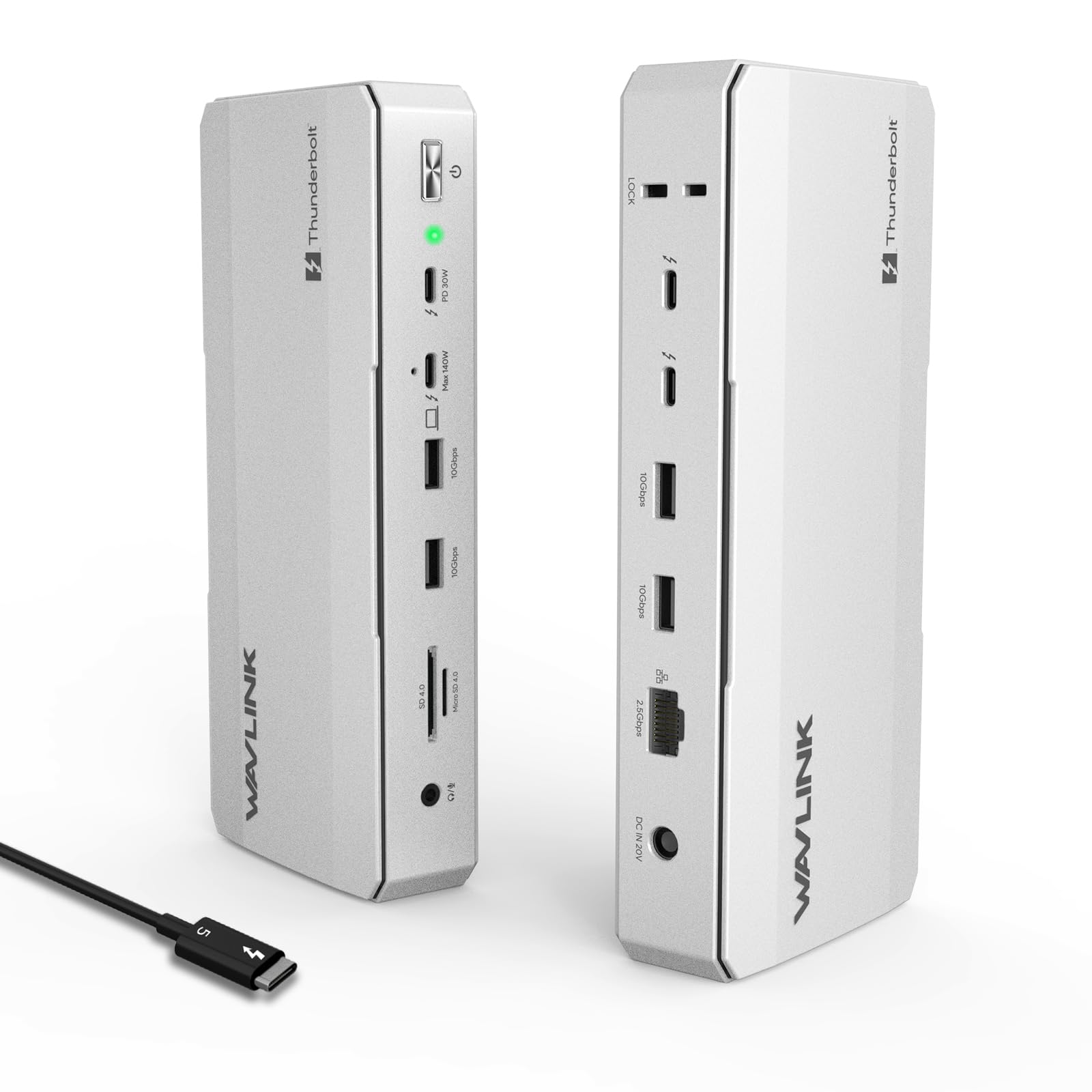



[Pioneering Thunderbolt 5 Technology] – Experience the next frontier of connectivity with the latest Thunderbolt 5 technology dock. Delivering a staggering 120Gbps maximum transfer bandwidth (boost mode) and 140W Power Delivery to your laptop, this 12-in-1 station is engineered for elite professionals who demand unrivaled speed and high-wattage charging in one centralized hub. [Elite 8K Visuals & Triple Display Productivity] – Elevate your workspace with cinema-grade clarity. Support a single 8K@144Hz display or dual 8K@60Hz setups. Windows 11 users can unlock triple 4K@144Hz external displays for seamless multitasking in video production or trading. (Note: macOS supports dual external displays; triple display requires Windows 11 or later with a Thunderbolt 5 port.) [High-Speed Data Hub & Multi-Device Charging] – Beyond the 140W host charging, three downstream Thunderbolt 5 ports provide dedicated 15W & 30W PD to keep your phone and tablet powered simultaneously. Coupled with a 2.5G Ethernet port for lag-free networking and an SD 4.0 reader (312MB/s), it ensures your creative workflow remains uninterrupted. [Exquisite Design & Enhanced Security] – Thoughtfully crafted for a stable desktop experience, featuring four anti-slip pads to prevent accidental movement and a built-in Kensington lock slot for anti-theft protection. Four USB-A 3.2 ports are strategically placed to connect your wireless mouse, keyboard, and other legacy peripherals with zero interference. [Compatibility & Pro Support] – To achieve maximum performance, your computer’s USB-C port must support Thunderbolt 4 or 5. Please note that supported resolution and refresh rates are dependent on the host device's specifications. (USB-C to HDMI/DP cables and security locks are not included.) Our dedicated technical team is available 24/7 to assist with any setup inquiries. Systems/ Devices Compatibility - Windows 11 or higher - Mac OS 14.6 or later (M chip) - Compatible with Thunderbolt 5/4, USB4, and USB 3.0 computers featuring a USB-C port. How to Check Your Laptop's Port: For Best Performance (Thunderbolt 5/4): Look for the lightning bolt (⚡) symbol next to the USB-C port on your laptop. A Thunderbolt 5 port is required to unlock all features, such as triple display on Windows. For Mac Users: All modern Macs with USB-C ports feature Thunderbolt 3 or higher, ensuring great compatibility. Display capabilities depend on your Mac's chip model (M1/M2/M3/M4 Base/Pro/Max). For USB4 & USB-C (DP Alt Mode) Ports: The dock is compatible, but performance in display, data, and charging will be limited by your host device's capabilities. To ensure the best experience, please check your laptop's official specifications.