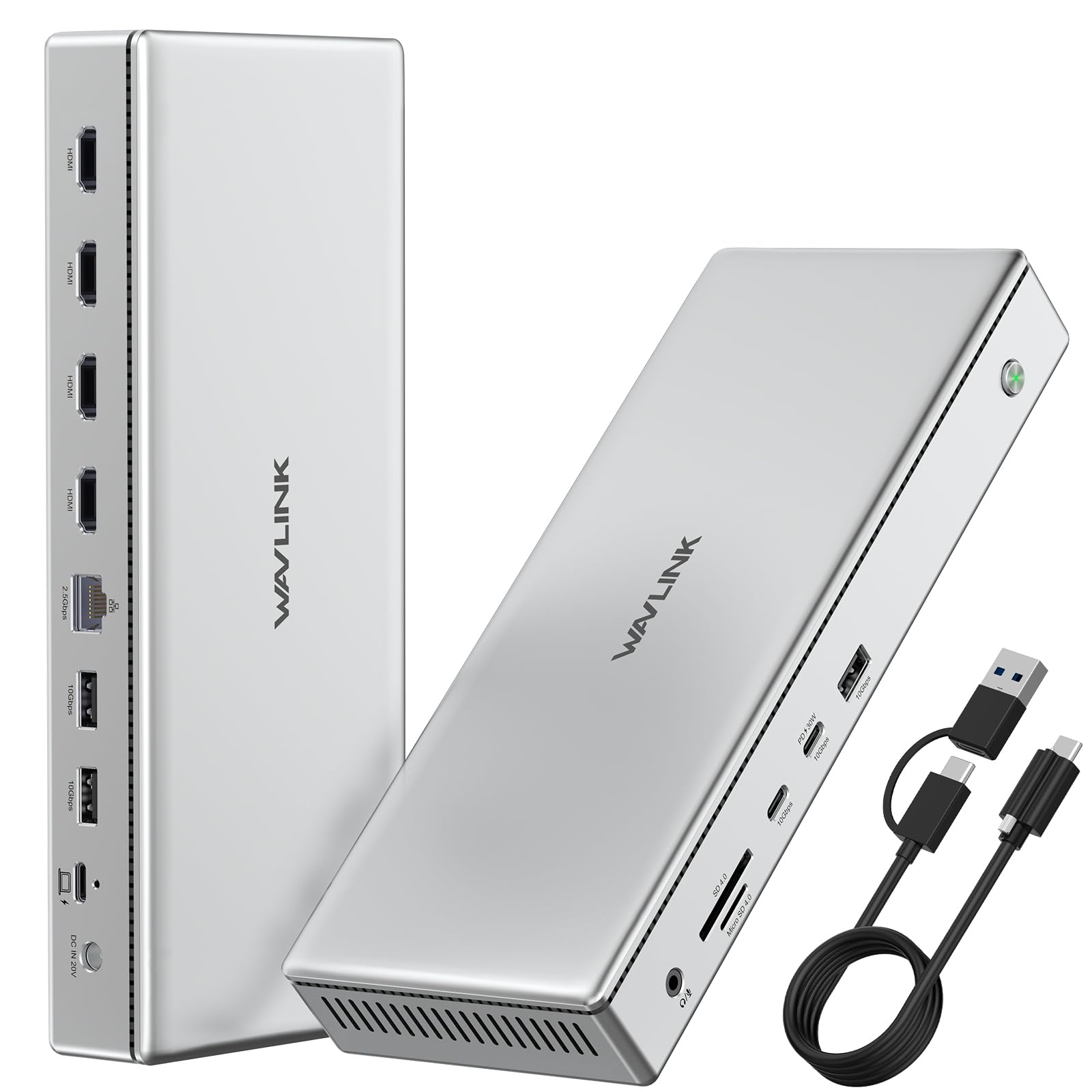



Quadruple 4K HDMI Displays – Break Mac’s display limit with 4x 4K@60Hz HDMI outputs via DisplayLink DL7400; ideal for multitasking, trading, or coding setups. All-in-One 15-Port Expansion – Features 4 HDMI ports, 2.5G Ethernet, 5 USB 3.2 ports (10Gbps), SD/TF 4.0 card readers, and dual USB-C PD—maximize productivity in one sleek dock. 160W Power Adapter Included – Charge your laptop up to 100W and mobile devices up to 30W simultaneously—no need for extra chargers on your desk. Ultra-Fast File Transfers – Enjoy blazing 10Gbps speed for USB-C/USB-A and 312MB/s SD/TF card read/write—perfect for video editors, designers, and creators Broad Compatibility & Premium Build – Works with macOS/Windows laptops with USB-C or Thunderbolt, all housed in durable aluminum for heat dissipation and style. "Product Overview (System-Oriented) USB-C DisplayLink Quad Monitor Docking Station powered by the DisplayLink DL7400 chipset, designed for professional multi-display productivity expansion through USB data transmission. This docking station enables advanced display scalability beyond native GPU output limits while consolidating display output, data expansion, network connectivity, audio I/O, card reading, and power delivery into a single self-powered solution. The product is intended for office productivity, workstation environments, financial analysis, software development, research workflows, and multi-screen task management. It is not designed for gaming, real-time rendering, or GPU-intensive visual workloads. Display & Video Capabilities Powered by DisplayLink DL7400 graphics chipset utilizing software-based video compression and transmission. Supports single, dual, triple, and quad external display configurations simultaneously. Each HDMI output supports a maximum resolution of 3840×2160 (4K) at 60Hz. Display configurations supported: 1 × 4K@60Hz 2 × 4K@60Hz 3 × 4K@60Hz 4 × 4K@60Hz Video output is transmitted over USB data connection and does not rely on the host GPU’s native display pipelines. Not optimized for high-frame-rate gaming, VR, or real-time graphics rendering due to software-based processing. Does not support HDCP-protected or encrypted content. Streaming services such as Netflix, Amazon Prime Video, Hulu, iTunes, and similar platforms may not display on external monitors connected through this docking station. Host Connection & Power Behavior Host interface: USB-C Compatible with USB 3.2, USB4, Thunderbolt 3, Thunderbolt 4, and Thunderbolt 5 ports. Maximum upstream data bandwidth: 10Gbps. This product does not provide Thunderbolt-native bandwidth (40Gbps) and does not support GPU passthrough. USB-C host connection supports up to 100W Power Delivery only when the connected laptop USB-C port supports charging input. USB-A host connection supports display output and data transfer only and does not support laptop charging, as USB-A ports generally do not support Power Delivery charging. The docking station is self-powered and requires the included external power adapter for normal operation, stable multi-display output, and full port functionality. Data Expansion & Connectivity 3 × USB-A 3.2 Gen 2 ports, supporting data transfer speeds up to 10Gbps. 1 × USB-C 3.2 Gen 2 data port, supporting up to 10Gbps. 1 × USB-C downstream port providing up to 30W charging for mobile devices such as smartphones, tablets, and accessories. 2.5Gb Ethernet port providing high-speed wired network connectivity, backward compatible with 1Gbps, 100Mbps, and 10Mbps networks. Actual throughput depends on network infrastructure and cabling. Integrated SD 4.0 and TF 4.0 card readers supporting transfer speeds up to 312MB/s (UHS-I). Memory cards are not included. 3.5mm 4-pole audio and microphone combo jack supporting audio output and voice input. Operating System Compatibility & Driver Requirements Supported operating systems: Windows 10 / Windows 11 macOS 11.x – 15.x or later (Intel & Apple Silicon) Chrome OS Ubuntu Linux Harmony OS DisplayLink driver installation is required prior to use. Plug-and-play operation is not supported. The DisplayLink driver enables video compression, decoding, and multi-display management. Without the driver installed, external displays will not function. On macOS systems, additional permissions such as screen recording access may be required after driver installation. The DisplayLink driver is digitally signed and widely used across enterprise docking solutions. Performance, Configuration & Usage Notes Screen rotation and clamshell mode are supported on Windows systems. On macOS, screen rotation and clamshell mode are supported on macOS 12.x or later. Moderate CPU usage increase is normal due to software-based video processing, especially when driving multiple high-resolution displays. If fewer external displays are detected than expected, users should verify: DisplayLink driver installation and version Display settings configured for extended mode Docking station power adapter connection HDMI cable quali