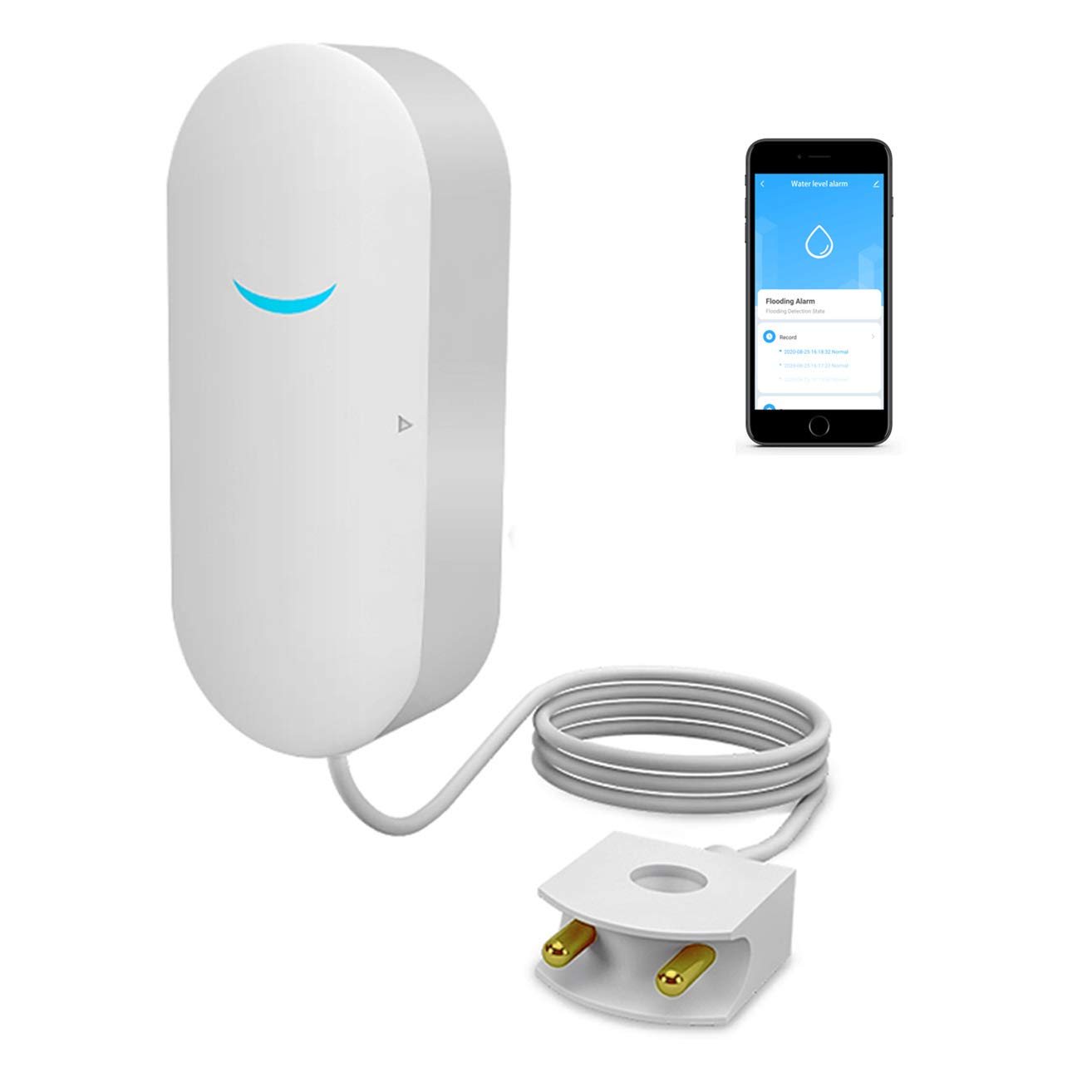



【REAL-TIME ALERTS 】WiFi Water Sensor As soon as the water detector detects leaking water or the preset limit overrun, you smartphone will receive an alarm message by the Tuya APP .This is free to use. 【EASY INSTALLATION & OPERATION】No gateways and complicated cabling required,Just connect smart water detector to your Wi-Fi and download the Tuya/Smart Life App from the App Store. Whether you are in the office or on the road, you can check the status via app at any time.(Note: only supports Wi-Fi 2.4 GHz.) 【THOUGHTFUL DESIGN & SHARED DEVICE】 Compact in size and can be fitted easily into the smallest of gaps. Using general-purpose 2 AAA batteries(Include), easy to buy, and the battery lasts for more than half a year and view its power on app. You can also share the device with your family, and more people can receive alerts and track the progress of wireless sensor activity. 【WIDE APPLICATION】The water monitor detector can be used in washer / bathrooms / basements / sinks / water heaters / aquariums dishwashers / refrigerators / fish Tanks / plumbing / toilets / behind toilet / water filtration units / garbage disposals / sump pumps etc. It can also be used to monitor the preset limit of water level in bathtub / pool / pool and other scenarios. 【CUSTOMER SERVICE OF ELECTRONIC WATER SENSOR ALARM】: We promise 12 months warranty, Please feel free to contact us if you have any questions about the water alarm. You will be support 7*24 hours by our service team. Specifications:
Package includes:
1 x Alarm Sensor
1 x Double-sided adhesive
1 x Manual
How to Connect the Water Sensor Alarm to Your Phone? (Dual Mode Pairing)
Smart Pairing Mode:
Smart pairing mode: long press the smart key for 6-12 seconds until the green led blinks quickly (5
times persecond). Connect your phone to wifi, open the app and click the + on the upper right corner
Choose Others Others(WIFI) Click confirm indicator rapidly blink Enter your wifi and password
Connecting Connect successfully.
AP Pairing Mode:
Trigger the sensor alarm first,and then long press the AP key for 6-12 seconds until the green led
blinks slowly (one time persecond). Connect your phone to wifi, open the app and click the + on the
upper right corner Choose Others?Others(Wi-Fi)Click other mode Click AP mode Confirm indicator
slowly blink Enter your wifi and password Go to connect your mobile to the device?s hotspot Exit
when connected Connecting successfully.
Problems and Note:
?This product needs to be used under 2.4G network WIFI. If the network has 2.4G and 5G, 2.4G
network should be selected first. After the product is added to the APP, and 5G is turned on at the
same time, it will not affect the use.
?There are two reasons for not sending a message after detecting a water leak:
1. The detector is not connected to the mobile app. If the connection is not successful, the mobile
app will not push information.
2. There is a problem with the WIFI network in the use environment.
?If the detector has not been connected to the mobile phone AP, please read the user manual
carefully.If you are not satisfied,we will refund you.
Package includes:
1 x Alarm Sensor
1 x Double-sided adhesive
1 x Manual
How to Connect the Water Sensor Alarm to Your Phone? (Dual Mode Pairing)
Smart Pairing Mode:
Smart pairing mode: long press the smart key for 6-12 seconds until the green led blinks quickly (5
times persecond). Connect your phone to wifi, open the app and click the + on the upper right corner
Choose Others Others(WIFI) Click confirm indicator rapidly blink Enter your wifi and password
Connecting Connect successfully.
AP Pairing Mode:
Trigger the sensor alarm first,and then long press the AP key for 6-12 seconds until the green led
blinks slowly (one time persecond). Connect your phone to wifi, open the app and click the + on the
upper right corner Choose Others?Others(Wi-Fi)Click other mode Click AP mode Confirm indicator
slowly blink Enter your wifi and password Go to connect your mobile to the device?s hotspot Exit
when connected Connecting successfully.
Problems and Note:
?This product needs to be used under 2.4G network WIFI. If the network has 2.4G and 5G, 2.4G
network should be selected first. After the product is added to the APP, and 5G is turned on at the
same time, it will not affect the use.
?There are two reasons for not sending a message after detecting a water leak:
1. The detector is not connected to the mobile app. If the connection is not successful, the mobile
app will not push information.
2. There is a problem with the WIFI network in the use environment.
?If the detector has not been connected to the mobile phone AP, please read the user manual
carefully.If you are not satisfied,we will refund you.