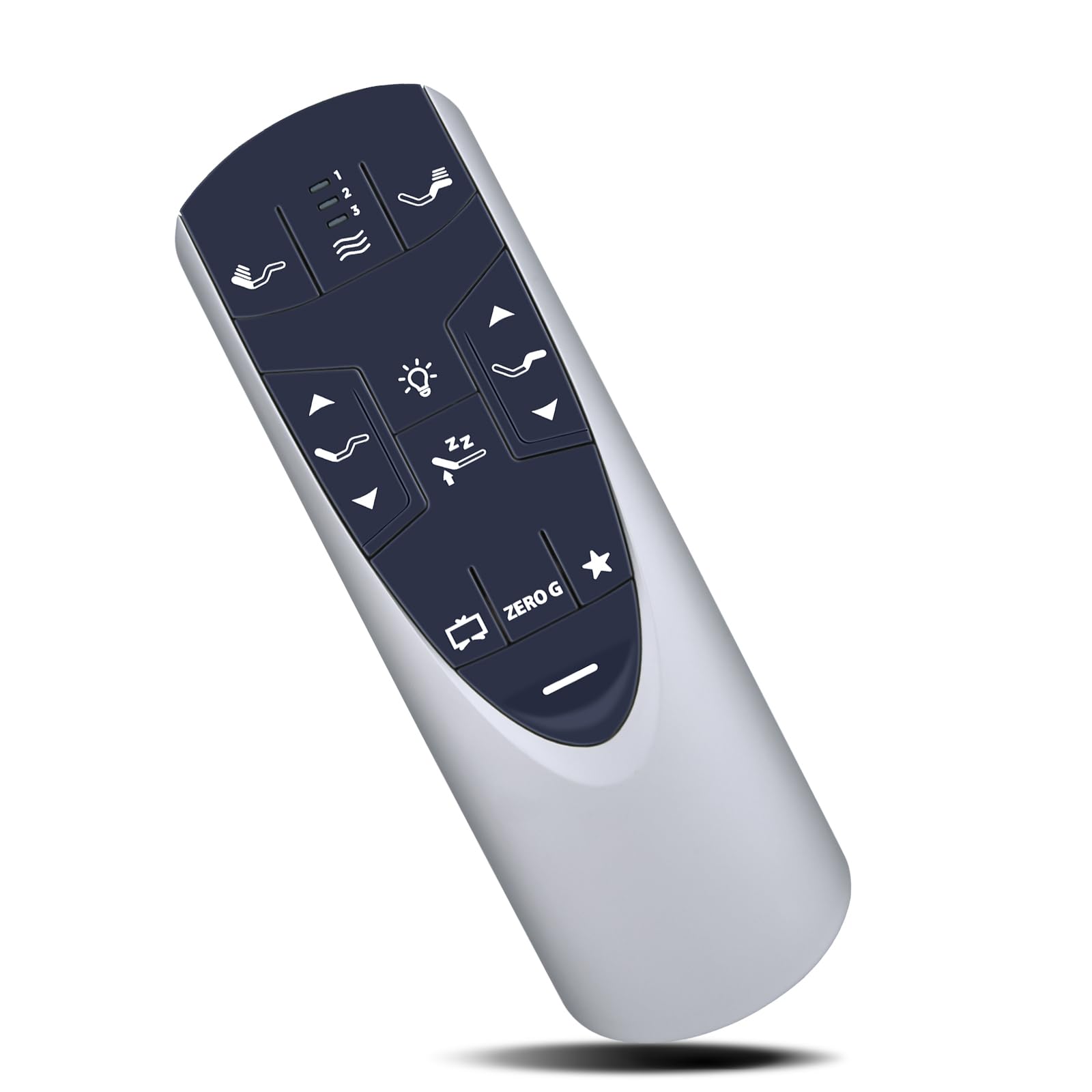



Compatible with Tempur-Pedic Ergo or Ergo Extend Adjustable bed base JDLK.33.01.18 RF358A, JLDK.33.01.36, RF502A (With backlight ) Step 1: Please ensure your base remote has fresh batteries. Step 2: Locate the Battery Backup Box and press the POWER DOWN button twice. A light on the Battery Backup Box will illuminate. Step 3: On the back of the remote, press and hold down the PAIR button. The PAIR button will illuminate blue and start flashing. When the PAIR button stops flashing, the illuminated light on the Battery Backup Box will go out. Step 4: Release the PAIR button and test all remote functions. NOTE: If pairing fails, please Deactivate child lock and then pair again. 【Deactivate Child Lock】:Press and hold FOOT UP and FOOT DOWN buttons together for approximately six(6) seconds. The remote backlight will flash twice. when the backlight light goes away, the remote is no longer in Child Lock. 【Advanced Infrared Technology】:Strongest and stable signal by Infrared technology, Long transmission distance, 0.2s fast response, you can control your bed from multi-angle and without obstruction. 【Easy to use】:Easy to Pairing or setup, After inserting the battery(Not included), Simply follow the pairing steps until successful, and it will perfectly replace your original remote 【Premium After-sale】:We provide a 1 year warranty return service. If you have any questions about your order, please feel free to contact us directly and we will get back to you within 12 hours. NOTE: If pairing fails, please remove the child lock and then pair again. 【Deactivate Child Lock】:Press and hold FOOT UP and FOOT DOWN buttons together for approximately six(6) seconds. The remote backlight will flash twice. when the backlight light goes away, the remote is no longer in Child Lock.